 Nic Dunn, CEO, Charle Agency
How Shopify's Features Are Organized
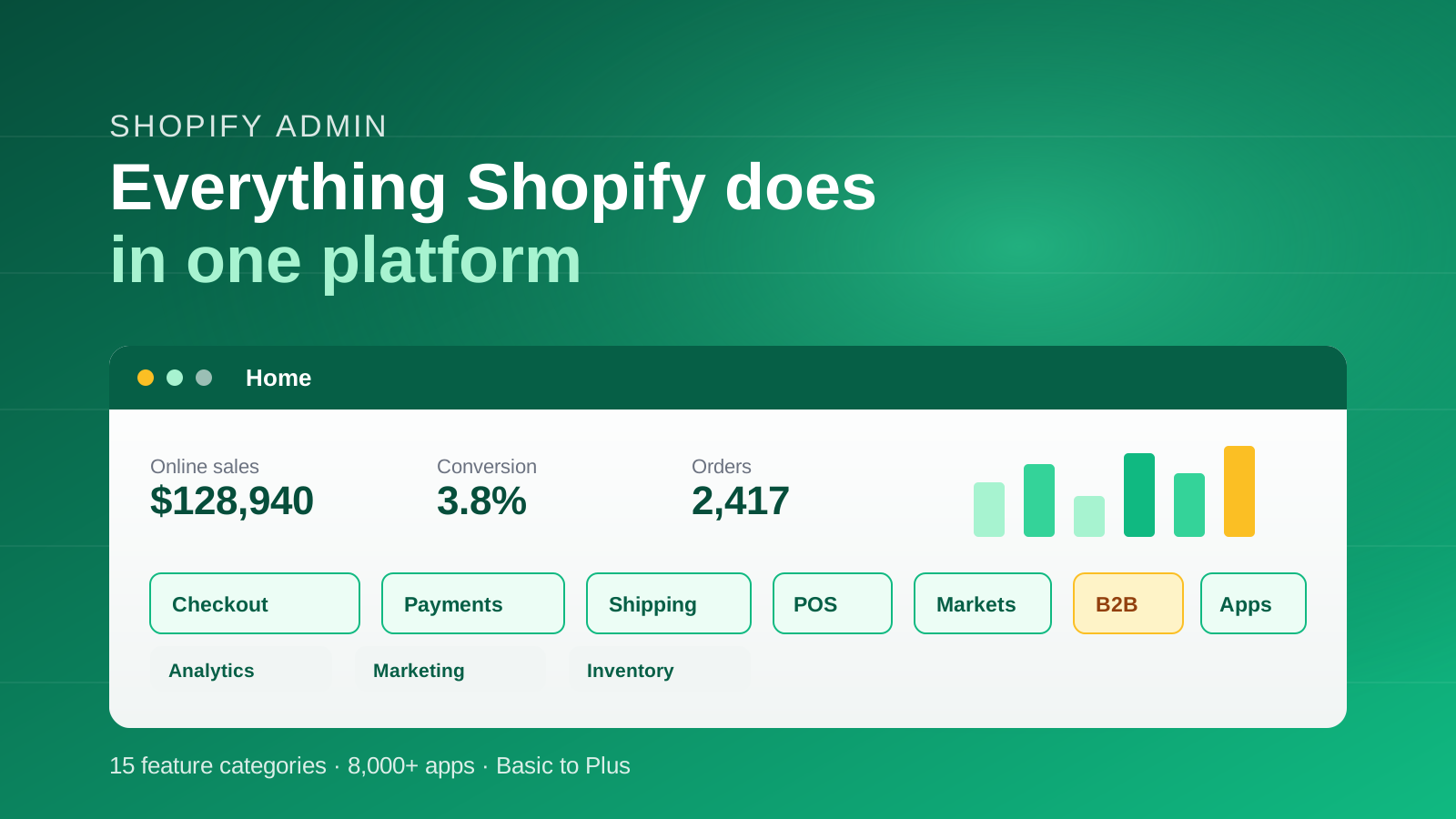
Shopify is an all-in-one commerce platform that gives you the tools to build a store, take payments, manage inventory, ship orders, market to customers and sell across online, in-person and international channels from a single admin. In 2026 Shopify groups its own features into roughly fifteen categories, including online storefront, checkout, payments, shipping, order management, point of sale, marketing, analytics, automation, B2B and global expansion. This guide follows that structure so it maps cleanly to how the platform actually works.
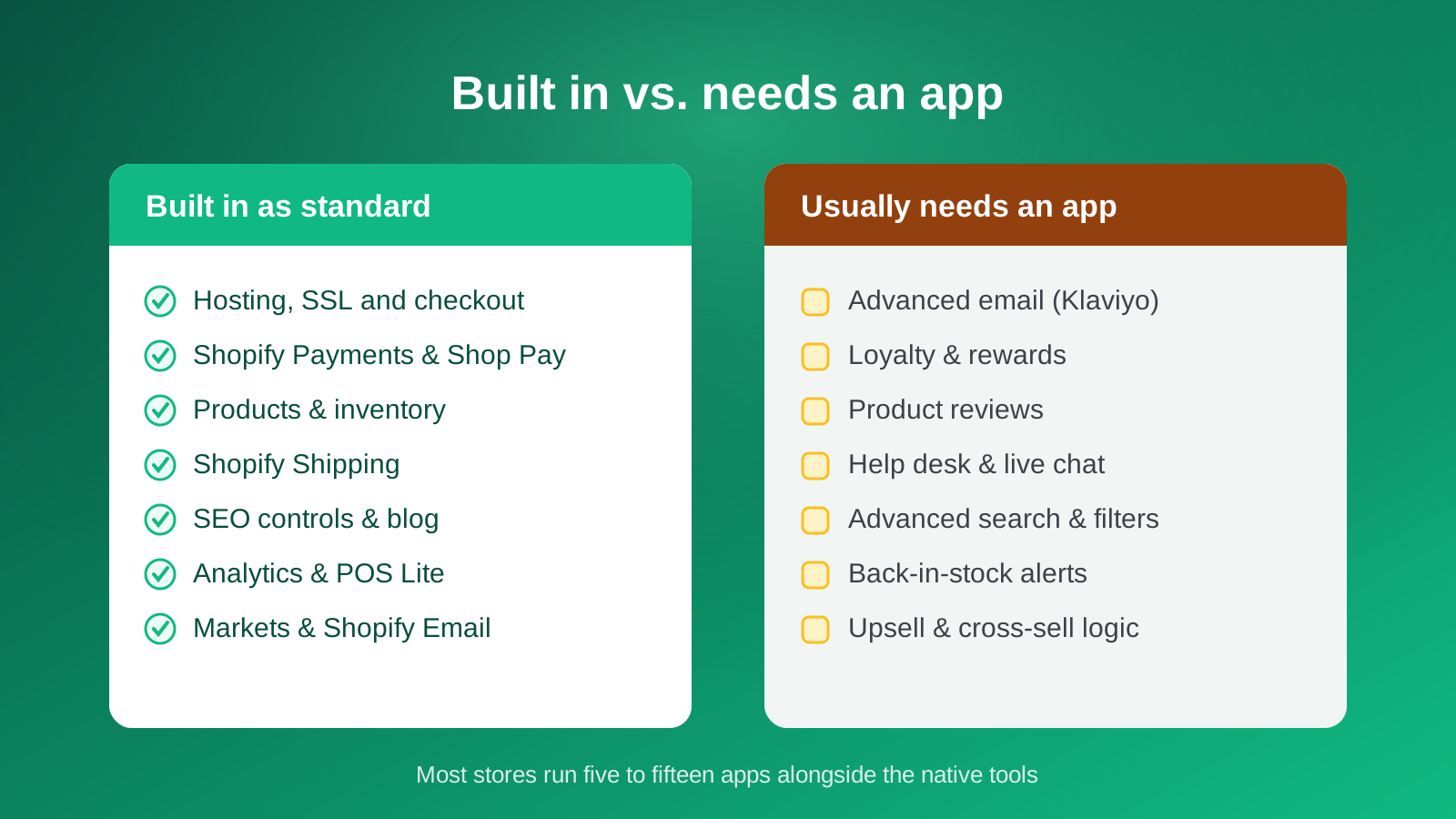
The single most useful way to think about Shopify features is the difference between what is built in and what needs an app. A large amount of what you need to run a store ships in the core platform: hosting, checkout, a theme, product and inventory management, basic email, SEO controls, analytics and POS Lite. Everything else lives in the Shopify App Store, which holds more than 8,000 apps for reviews, subscriptions, loyalty, advanced email and much more. Most stores run somewhere between five and fifteen apps alongside the native tools.
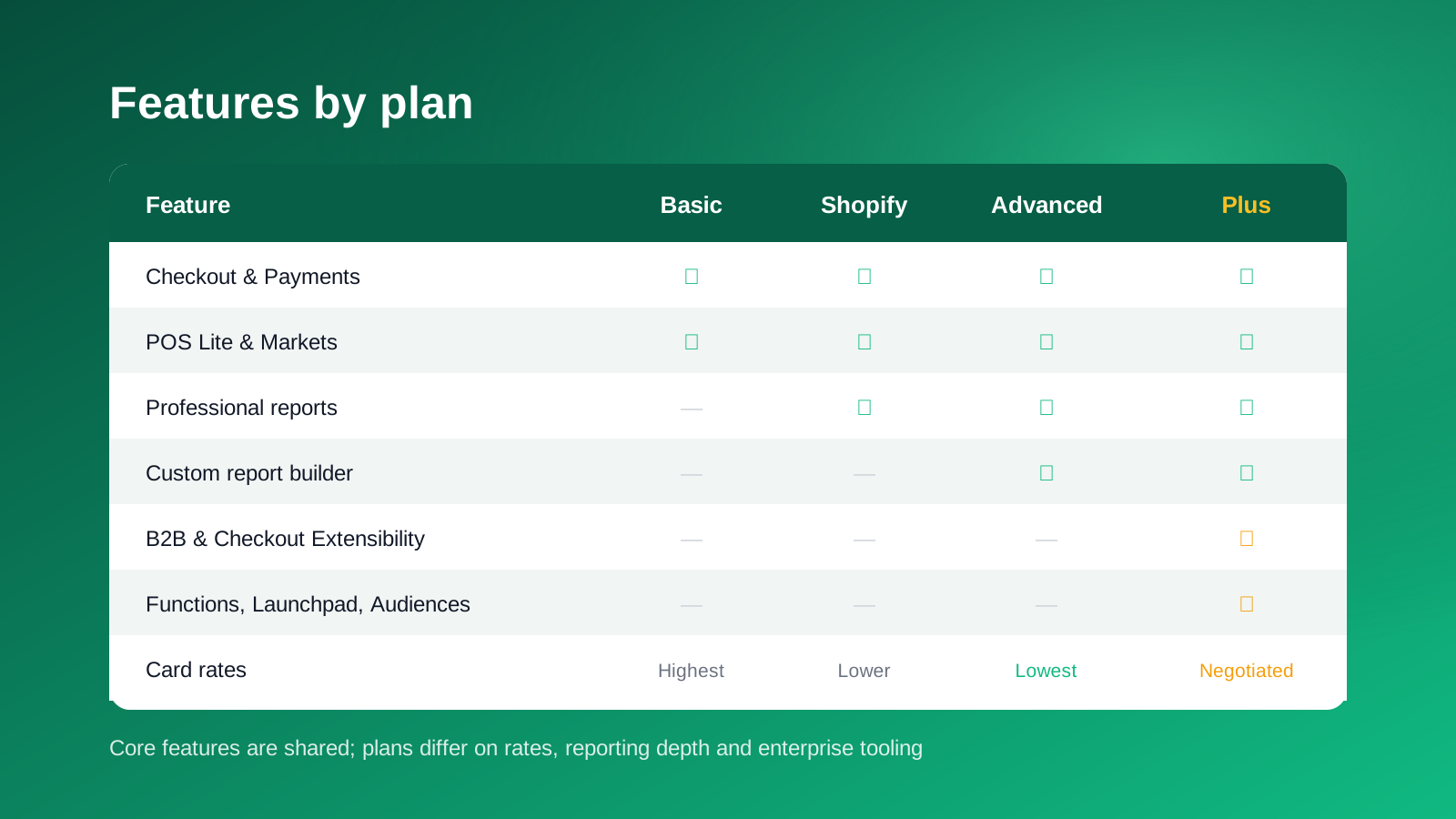
Feature availability also depends on your plan. The core plans (Basic, Shopify and Advanced) share the same foundations, with higher tiers offering lower payment rates and deeper reporting. Shopify Plus adds enterprise features such as B2B, checkout extensibility, Shopify Functions, Launchpad and higher API limits. We cover exactly what changes by plan in the features by plan section, and you can compare costs in our Shopify pricing guide.
Store Building and Design Features
Everything a shopper sees starts here. Shopify gives you a hosted storefront and a range of ways to design it, from no-code editing through to fully custom headless builds.
Online store editor and themes
The online store editor is a drag-and-drop, section-based builder that lets you assemble pages without writing code. You start from one of more than 100 free and paid themes in the Shopify Theme Store, then customize colors, fonts, layout and content. Every theme is mobile-responsive by default, which matters when mobile accounts for the majority of ecommerce traffic. For a deeper look at building an effective storefront, see our guide to designing a Shopify site.
Liquid, custom and headless storefronts
For brands that need more control, Shopify's Liquid templating language gives developers full command of the frontend. Beyond that sits headless commerce: Hydrogen, Shopify's React-based framework, lets you build a completely custom storefront, and Oxygen hosts it on Shopify's global network. This route suits stores that want a bespoke experience while keeping Shopify's checkout and backend. Our overview of headless commerce on Shopify explains when it is worth the investment.
Metafields, metaobjects and Shopify Magic
Metafields and metaobjects let you extend Shopify's data model with custom structured content, such as ingredient lists, size guides or care instructions, and surface it anywhere in your theme. Shopify Magic, the platform's built-in AI, can draft product descriptions, generate images and answer admin questions, while Sidekick acts as an AI assistant inside the admin. These tools are handy for speeding up routine work, though they rarely replace a considered brand voice.
Products and Inventory Management
Shopify's catalog tools are built to handle everything from a handful of products to hundreds of thousands of variants across multiple locations.
Products, variants and collections
You can list unlimited products, each with up to 100 variants covering combinations such as size, color and material, and group them into automated or manual collections. Rich media, including images and video, sits on every product, and a consistent product taxonomy helps both shoppers and search engines understand your range. Bulk editing lets you update pricing, tags and details across many products at once.
Inventory and multi-location
Inventory tracking, low-stock alerts and stock history are built in. If you sell from several warehouses or stores, Shopify tracks stock separately by location and routes orders based on availability, keeping online and in-person inventory in sync. For scaling brands this is one of the features that removes the need for a separate stock system early on.
Bundles, subscriptions and selling options
Shopify offers native product bundles and first-party subscription tools, so you can sell fixed or build-your-own bundles and recurring orders without heavy custom work. Gift cards, pre-orders and try-before-you-buy flows are all supported through native features or well-established apps, giving you flexible ways to package what you sell.
Checkout and Payments
Checkout is where Shopify is strongest, and it is the part of the platform most brands underestimate. Shopify Checkout is fast, reliable and consistently high-converting, and it is now extensible on every plan.
Shopify Checkout and Checkout Extensibility
Shopify Checkout is a hosted, conversion-optimized checkout used across millions of stores. Checkout Extensibility lets you customize it with app blocks and Shopify Functions rather than fragile scripts, so you can add upsells, custom fields, delivery logic and branding safely. Our guide to the one-page checkout on Shopify covers how the modern flow is structured.
Shopify Payments and Shop Pay
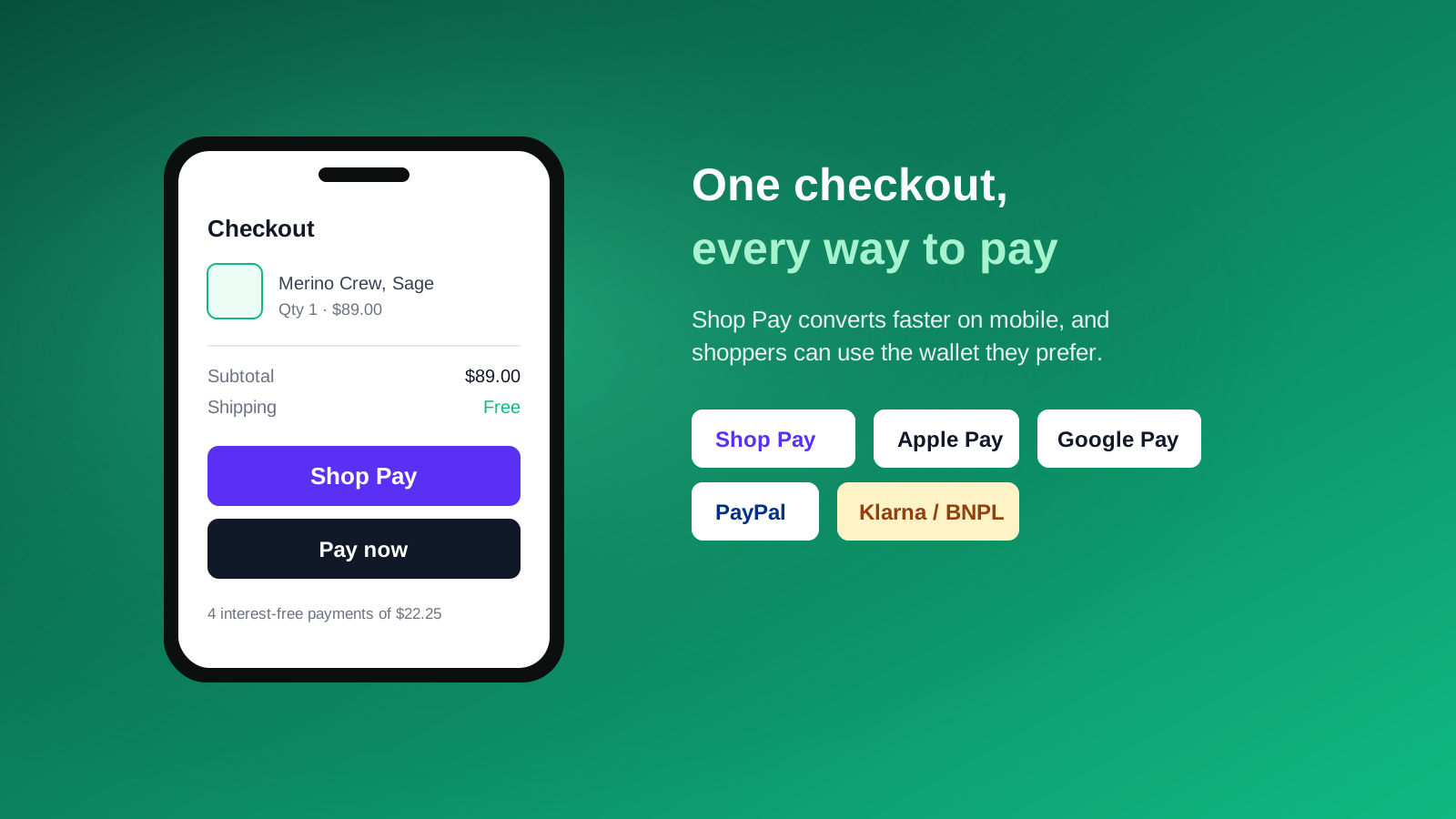
Shopify Payments is the built-in payment processor, which removes the extra transaction fees Shopify charges when you use a third-party gateway. Online card rates in the UK start at around 2.9% plus 30 cents on the Basic plan and fall on higher tiers. Shop Pay, Shopify's accelerated checkout, stores a customer's details for one-tap purchases across any Shopify store and consistently converts better than standard checkout, especially on mobile. Shop Pay Installments lets shoppers split a purchase into interest-free payments.
Wallets, BNPL and abandoned cart recovery
Beyond cards, Shopify supports Apple Pay, Google Pay, PayPal and buy-now-pay-later providers, so shoppers can pay the way they prefer. Shopify also captures the email at the start of checkout and sends automatic abandoned cart recovery emails. For multi-touch recovery across email and SMS, brands usually add Klaviyo, which connects natively to Shopify's customer and order data.
Shipping, Fulfillment and Returns
Shopify handles the operational side of ecommerce as well as the shopfront, with tools that scale from a spare room to multi-warehouse logistics.
Shopify Shipping
Shopify Shipping is built in at every plan level and calculates live rates from major carriers based on weight, dimensions and destination. You can buy and print discounted labels directly in the admin, set your own flat or free-shipping rules, and pass real-time carrier rates to customers at checkout. The carrier discounts alone often cover a meaningful share of fulfillment cost for smaller brands.
Order management and fulfillment
Every order flows into a single dashboard where you can edit, fulfil, refund and tag it. Orders can be routed to the right location automatically, split across warehouses, or passed to a third-party logistics provider. Native tools cover picking, packing and tracking, and the Shopify Fulfillment ecosystem connects to 3PLs where you need hands-off logistics.
Returns and local delivery
Shopify Returns lets customers request returns from their account and gives you managed return labels and status tracking, which cuts the support load that returns usually create. For stores with a physical footprint, local delivery and in-store pickup are supported natively, tying online orders to your shops.
Marketing, SEO and Content
Shopify gives you a solid marketing foundation in the core platform, then lets you extend it with specialist tools as you grow.
Built-in SEO tools
Every store includes editable title tags, meta descriptions and URLs for products, collections, pages and blog posts, plus an automatically generated sitemap, canonical tags and image alt text. These are the foundations rather than a full strategy: Shopify gives you clean infrastructure, but the keyword research and content still needs doing. Our Shopify SEO guide covers how to build on it.
Shopify Email, blog and automations
Shopify Email is included on all plans for newsletters and basic campaigns, and a native blog supports content and SEO. Automation is where Shopify has invested heavily: Shopify Flow lets you build no-code workflows for tagging, fraud checks, inventory and loyalty, while Launchpad (on Plus) schedules sales, product launches and theme changes down to the minute. For most brands, more advanced email and segmentation still runs through Klaviyo.
Sales channels, Collabs and Shopify Audiences
Shopify connects your catalog to Meta, TikTok, Pinterest, Google and marketplaces, so you can sync products and run shopping campaigns from one place. Shopify Collabs helps you find and manage creator and influencer partnerships, and on Plus, Shopify Audiences builds high-intent advertising audiences from aggregated commerce data to sharpen paid acquisition.
Analytics and Reporting
Understanding performance is built into the platform, with depth that increases as you move up the plans.
Dashboards, custom reports and ShopifyQL
All plans include an analytics dashboard covering sales, sessions, conversion and product performance. Higher tiers add more detailed reports by channel, product, staff and location, plus customer cohort analysis. Shopify Plus adds a custom report builder, and ShopifyQL, Shopify's query language, lets analysts pull bespoke views of commerce data for deeper analysis.
GA4, Meta Pixel and Sidekick
Shopify integrates natively with Google Analytics 4 and the Meta Pixel for conversion tracking, retargeting audiences and paid attribution. Sidekick, Shopify's AI assistant, can answer analytics questions in plain language and surface trends without you building a report by hand, which is genuinely useful for quick checks.
Point of Sale and Omnichannel
Shopify is not just an online platform. Shopify POS turns the same catalog and inventory into an in-person selling system, so online and retail run as one business.
POS Lite versus POS Pro
Shopify POS Lite is included with every plan and handles in-person payments, inventory sync, customer profiles and basic reporting, which is plenty for pop-ups and markets. POS Pro, at around $89 per month per location, adds unlimited registers, staff roles and permissions, purchase orders and transfers, and local pickup and delivery management. It is built for brands where physical retail is a core channel. Our guide to Shopify POS breaks down the two tiers in detail.
International and B2B Selling
Two of the biggest additions to Shopify in recent years handle selling across borders and selling to other businesses, both from the same store.
Shopify Markets
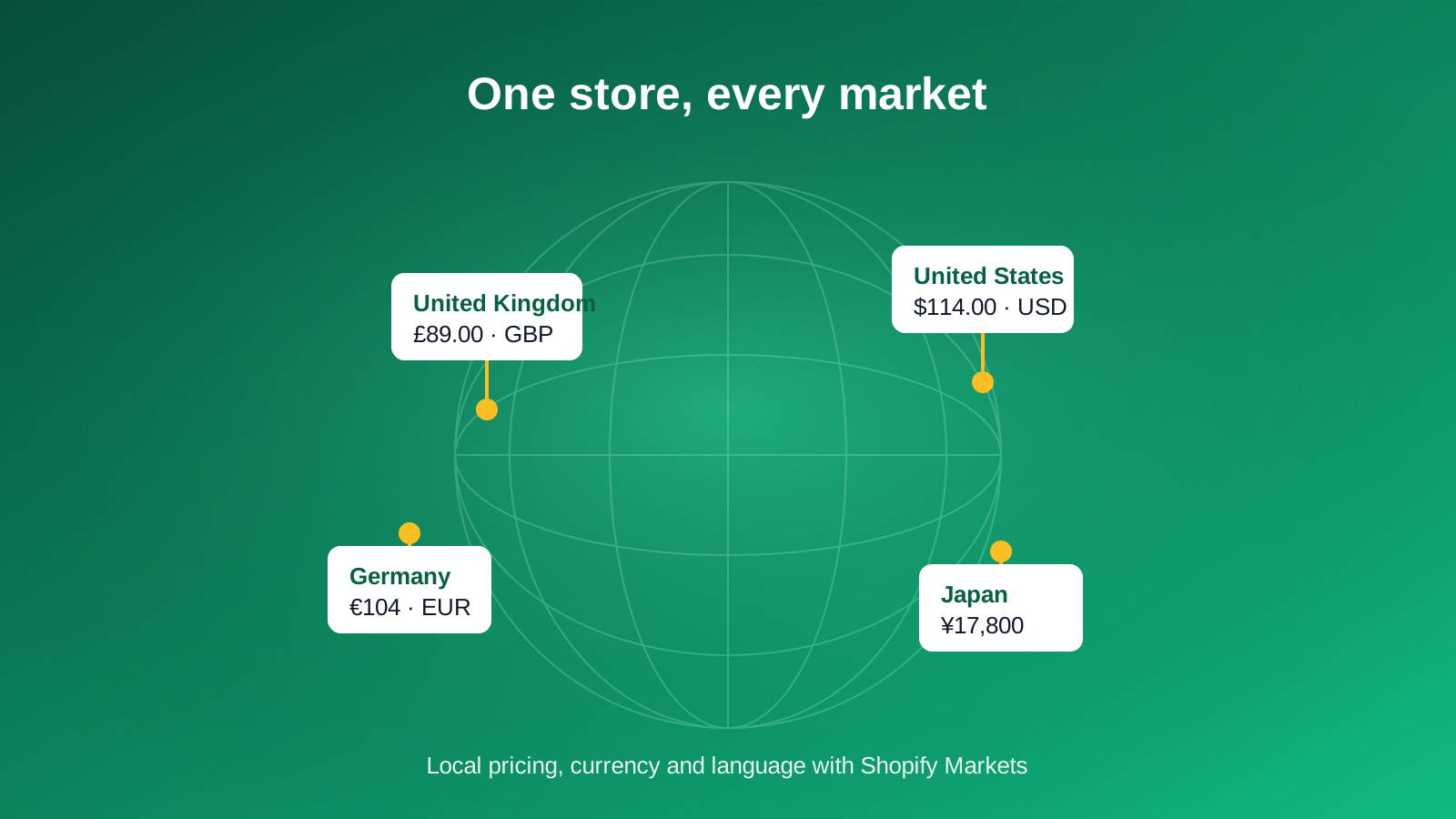
Shopify Markets lets you sell internationally with localized pricing, currency display and language, and separate URLs per market that support international SEO. Customers see prices in their local currency while you get paid in yours, and Translate and Adapt handles content translation. It removes the old need to run a separate store per country for many brands. See our overview of Shopify Markets for how it works in practice.
B2B on Shopify Plus
B2B is a native Shopify Plus feature that lets you run wholesale alongside direct-to-consumer from one store. You create company profiles with multiple buyers, assign customer-specific price lists, set net payment terms, and give trade customers a dedicated checkout. Combined with draft orders and quotes, it covers most wholesale needs without a separate platform. Our Shopify B2B guide goes deeper on setup and strategy.
Apps, Automation and Developer Tools
Shopify's real power is its extensibility. Whatever the platform does not do natively, the ecosystem almost certainly does.
The Shopify App Store
The App Store holds more than 8,000 apps covering reviews, subscriptions, loyalty, bundles, upsells, shipping automation, inventory forecasting and much more. The trade-off is that apps add cost and can affect site speed, so a lean, well-chosen stack always beats a sprawling one. Our roundup of the best Shopify apps highlights the ones worth their place.
Shopify Functions, APIs and Multipass
For developers, Shopify Functions let you customize backend logic such as discounts, shipping and payment rules with code that runs natively at checkout. A full set of REST and GraphQL APIs, webhooks and the Shopify CLI support custom apps and integrations, and Multipass (on Plus) enables single sign-on between an external site and your Shopify store. This is what makes Shopify viable for complex, enterprise-grade builds. Our article on Shopify Functions explains the detail.
Security, Hosting and Support
The unglamorous features matter most when something goes wrong, and Shopify handles the heavy lifting so you do not have to.
SSL, PCI and hosting
Every store gets a free SSL certificate, which encrypts traffic and acts as a ranking signal, and Shopify is certified Level 1 PCI DSS compliant, the highest level of payment security. Hosting, uptime, CDN delivery and security patching are all managed by Shopify, including the traffic spikes of peak sales events, so you never manage servers yourself. For how this compares to self-hosted platforms, see how Shopify works.
Support and the Shopify ecosystem
Shopify provides 24/7 support, an extensive Help Center, and a large community of developers, agencies and Shopify Partners. For brands on Plus, priority support and a dedicated launch engineer come as standard. The depth of the partner ecosystem is itself a feature: there is almost always an expert, app or integration for the problem in front of you.
Shopify Features by Plan
Most core features are shared across the standard plans, with the differences concentrated in payment rates, reporting depth and enterprise tooling. Here is the short version of what changes by plan.
- Basic: the full core platform, including online store, Shopify Payments, Shopify Shipping, POS Lite, Shopify Email, Markets and basic reports. Best for new and smaller stores.
- Shopify: everything in Basic with lower card rates and professional reporting, suited to growing brands.
- Advanced: the lowest standard card rates, custom report builder, third-party calculated shipping rates and higher staff limits.
- Plus: enterprise features on top, including B2B, checkout extensibility, Shopify Functions, Launchpad, Shopify Audiences, Multipass, higher API limits and priority support.
If you are weighing up the jump to enterprise, our Shopify versus Shopify Plus comparison covers the decision in full, and the pricing guide covers the numbers.
Which Shopify Features Actually Matter, From Building 100+ Stores
The feature list is long, but a handful of things drive most of the results we see for clients, and plenty of the rest is noise you can safely ignore at the start.
Checkout is the feature we would protect above all others. Shop Pay and a clean, extensible checkout do more for revenue than almost any bolt-on, and the most common mistake we fix is stores that have buried a high-converting checkout under unnecessary customization. Keep it fast, add only what earns its place through testing, and let Shop Pay do its job.
The second is restraint with apps. We have inherited stores running forty apps where a dozen would do, each one adding cost and shaving milliseconds off load time. Native features have quietly caught up in areas such as bundles, subscriptions and returns, so we routinely remove apps and move brands back to first-party tools. If a feature ships in the platform and does the job, use it before you reach for the App Store.
The third is knowing when Plus pays for itself. For most brands the trigger is not revenue alone, it is needing B2B, checkout extensibility or serious automation. When a client starts building fragile workarounds for those on a standard plan, that is the moment Plus stops being a cost and starts being a saving. If you want a second opinion on which features your store should actually be using, our Shopify Plus agency team is happy to help. Get in touch to talk it through.



