 Nic Dunn, CEO, Charle Agency
What Is Headless Ecommerce on Shopify?
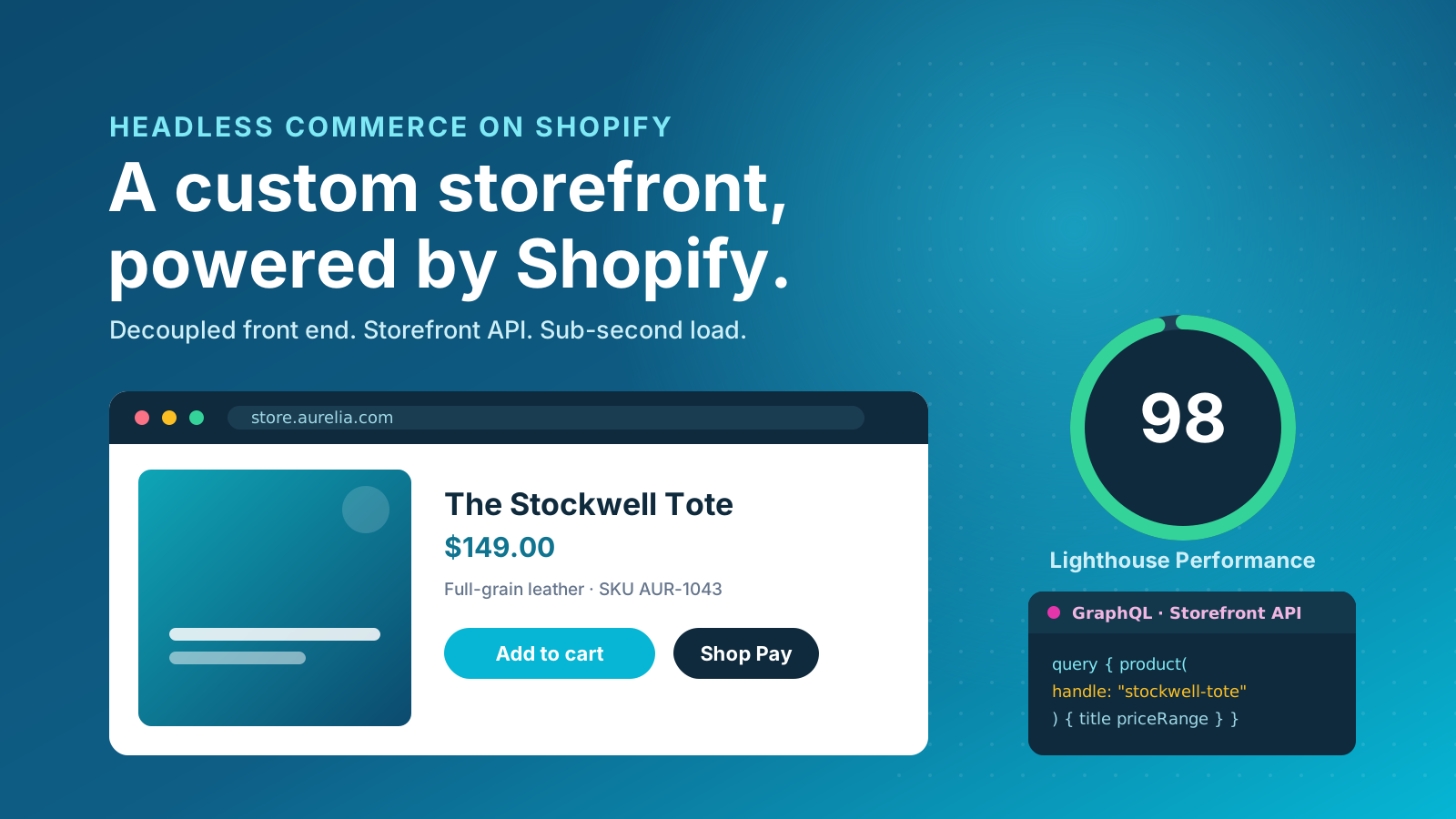
Headless ecommerce on Shopify is an architecture that separates, or decouples, the storefront customers see from the commerce backend that runs your business. Shopify keeps doing what it does best: managing your catalogue, checkout, payments, inventory and order fulfilment. The storefront becomes a standalone application that talks to Shopify through the Storefront API using GraphQL.
In a traditional Shopify setup, the storefront and backend are tightly coupled. Pages are rendered by Shopify using Liquid themes, and your design and functionality live within what those themes allow. That ceiling is high, but it exists. A headless architecture removes the ceiling: the frontend is a custom application, usually built in React, so the store and its backend are decoupled and communicate only through the API. The frontend can render whatever a browser can render, while Shopify remains the system of record for your commerce data, customers and orders.
The short answer to "why choose headless" is control. With a decoupled store you gain complete control over the customer experience, site performance and content management, in exchange for building and maintaining a custom store frontend rather than configuring a theme. That trade is worth making for some brands and a costly mistake for others, which is the distinction this guide is built around.
Why Brands Choose Headless on Shopify
The brands that move to a headless architecture tend to do so for a handful of concrete reasons, not for the novelty of it. Most come down to performance, design flexibility and the freedom to grow without re-platforming.
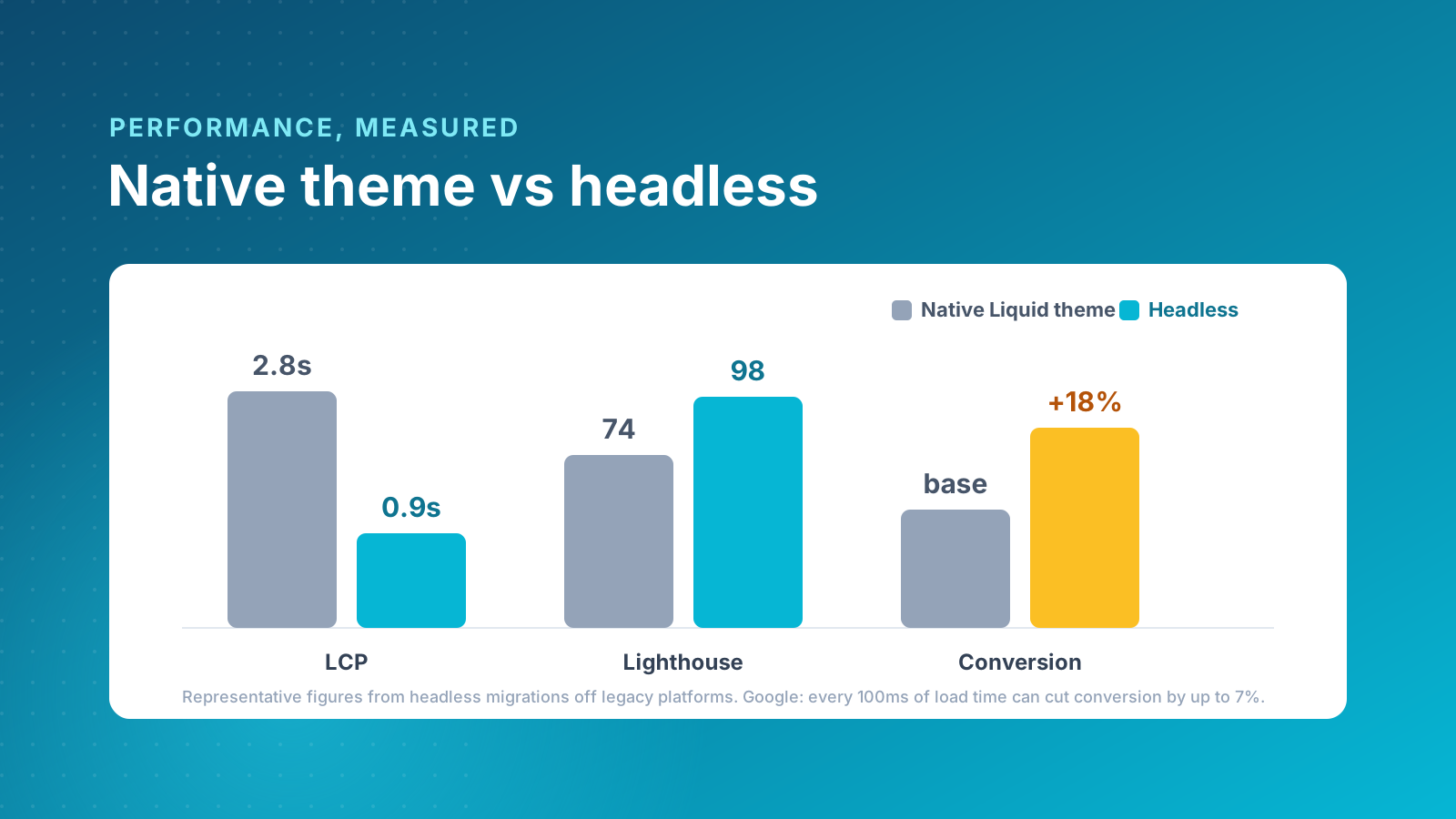
Performance. Headless storefronts are served as fast, statically generated pages with data fetched through GraphQL, rather than rendered through heavy themes loaded with apps. Speed is not a vanity metric: Google's research found that every 100ms of additional load time can reduce conversion rates by up to 7%, and Core Web Vitals are a direct ranking factor. A well-built headless storefront can hit a Lighthouse score above 90 and sub-second load times, which feeds both conversion and SEO.
Design freedom. Decoupling the frontend frees your design and development teams from Liquid templates. Because you control the frontend code directly, you can build configurators, rich animation, bespoke navigation and unusual layouts that are difficult or fragile inside a theme, all tuned around the user experience you want shoppers to have. For brands whose differentiation is the store experience itself, that creative freedom is the whole point.
Omnichannel and composable commerce. One Shopify backend can power many frontends: your website, a mobile app, in-store kiosks, even smart screens. Because the storefront is decoupled, you reuse the same commerce data across every channel. This is the foundation of composable commerce, where you assemble best-in-class tools for content, search and marketing around the Shopify core rather than accepting one monolithic platform.
Scalability. A headless architecture gives large brands room to add markets, languages and customer experiences without re-platforming. Public examples of headless Shopify storefronts include Allbirds, Kotn, Gymshark and Victoria Beckham Beauty, all brands using a separate frontend to deliver fast, distinctive experiences while Shopify Plus runs the commerce engine underneath. For more on the platform behind these builds, see our guide to the benefits of Shopify Plus, and our roundup of headless brands on Shopify.
The Headless Tech Stack: Hydrogen, Oxygen and React
Building headless on Shopify used to mean stitching together a React framework, the APIs, a hosting provider and a deployment pipeline from scratch. Shopify changed that with two native technologies that now anchor most builds.
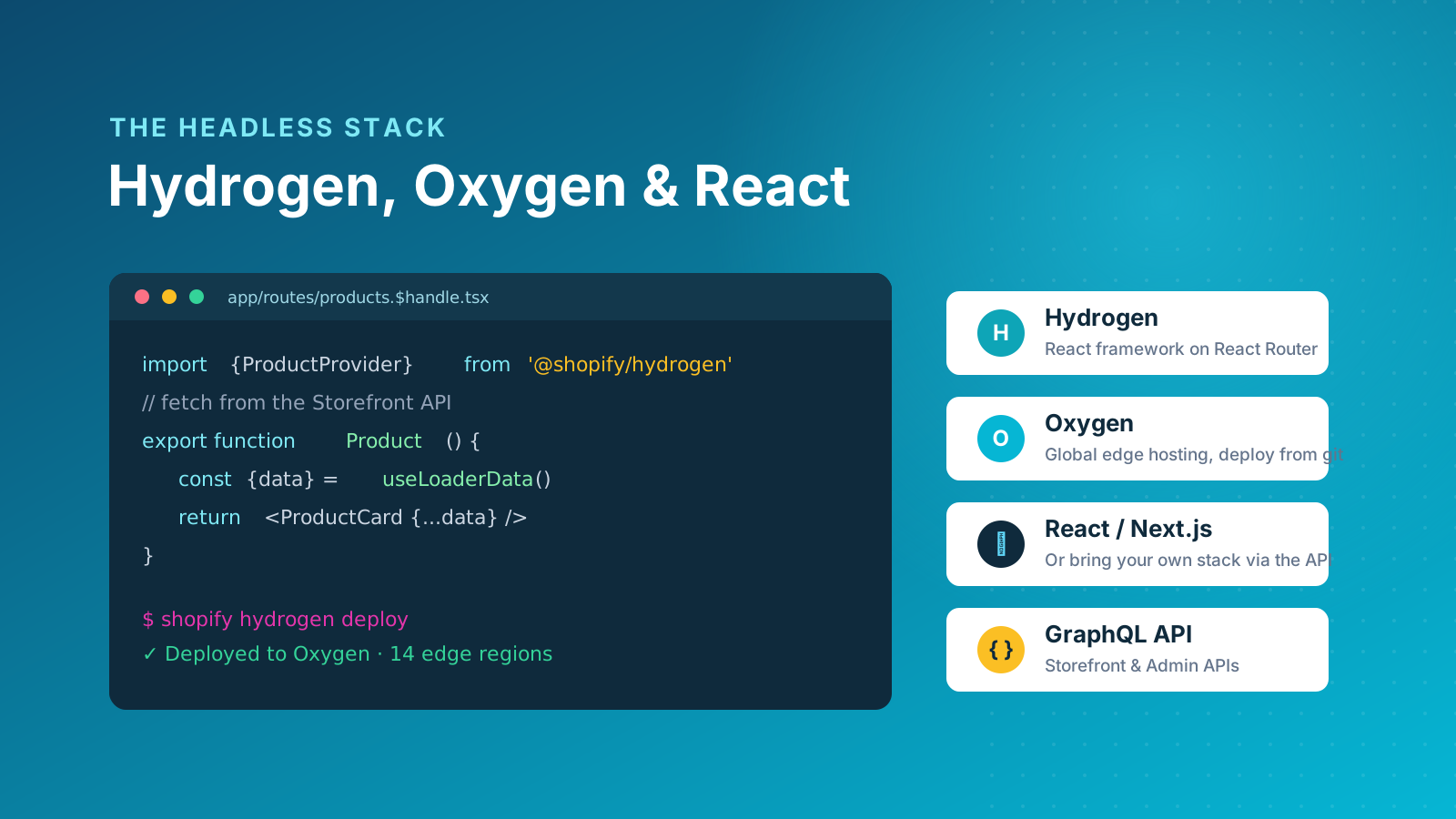
Hydrogen is Shopify's own React framework for headless storefronts, built on React Router. Because the frontend is a JavaScript application, your developers work in tools they already know. It ships with pre-built commerce components for cart, product and collection data that wire directly into the Storefront API, along with server-side rendering out of the box, which matters for both SEO and performance. Oxygen is Shopify's global hosting environment for Hydrogen storefronts: you deploy the frontend straight from your repository, with edge delivery and automatic scaling, and no separate server to manage.
Hydrogen is not the only route. Many teams build with Next.js instead, hosted on a platform like Vercel, particularly when a project has heavy editorial content or needs deep integration with non-Shopify systems. Shopify supports this with Hydrogen React, which brings the same commerce components to other React frameworks. Whichever you choose, the storefront talks to Shopify through the GraphQL Storefront API, and the commerce data, checkout and admin stay firmly inside Shopify.
Content Management in a Headless Build
One of the most important practical decisions in a headless project is content management. Shopify's native content tools, metafields and metaobjects, handle structured product data well, but they lack the granular content models, role-based permissions and editorial workflows that larger content teams need.
This is why most headless builds pair Shopify with a dedicated headless CMS such as Sanity, Contentful or Storyblok. Commerce data, including products, variants, pricing and inventory, lives in Shopify, while landing pages, brand stories, campaign content and configurator logic live in the CMS. The two are connected through the API, so your marketing team can manage the store frontend independently without filing developer tickets for every banner change. Strong content management is often what separates a headless store that scales from one that stalls, and for brands where content is core to how they reach customers, this independence is often the single biggest reason to go headless.
When Headless Is the Right Choice (and When It Is Not)
Headless is powerful, but it is not an upgrade you apply by default. It is a different architecture with different trade-offs, and the right approach depends on your stage, your team and your goals. The flexibility it offers only pays back when you genuinely need it, so work through these questions honestly before investing.
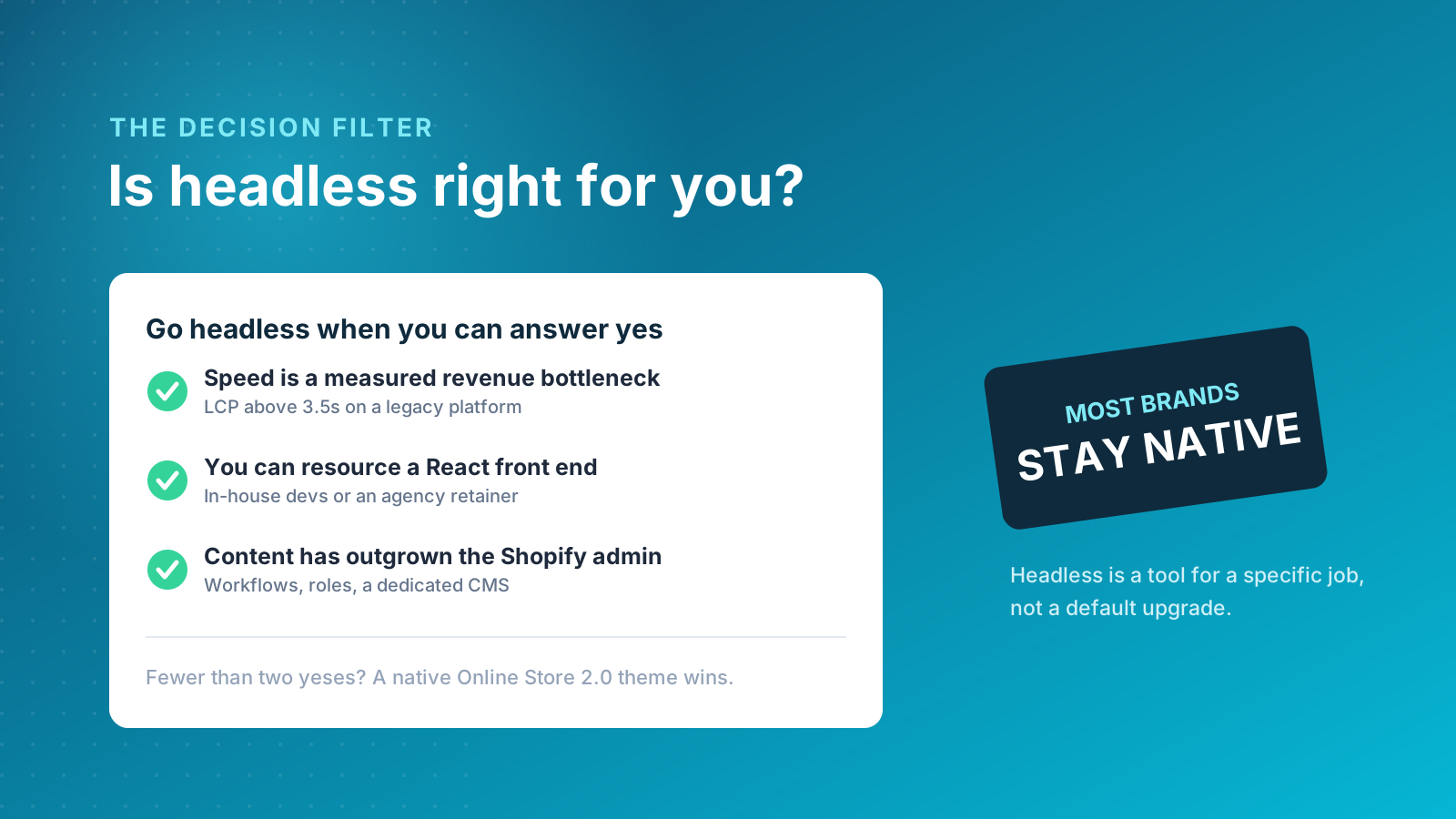
Headless is likely worth evaluating when:
- Performance is measurably costing you money. If your store is slow on a legacy platform and that is limiting conversion, the performance gain is real for your customers.
- You want, and can resource, a React frontend. A headless storefront is a custom application that needs React developers for every meaningful change after launch, either in-house or through an agency retainer.
- Your content operations have outgrown the Shopify admin. If your team needs granular content models, approval workflows and role-based access, a headless CMS solves that at the architecture level.
- You are scaling across multiple markets, brands or touchpoints, and need one backend powering several localized storefronts.
Headless is usually the wrong call when your current store is already fast and converting well, when you need to be live in under four months, when nobody on your side will maintain a custom application after launch, or when you are a single-brand, straightforward operation whose content needs are standard. In those cases a well-built native theme on Shopify's Online Store 2.0 will serve you better, cost less and launch faster. Specialist agencies who build headless for a living routinely steer most enquiries back to native Shopify Plus for exactly these reasons.
What Headless Ecommerce Costs on Shopify
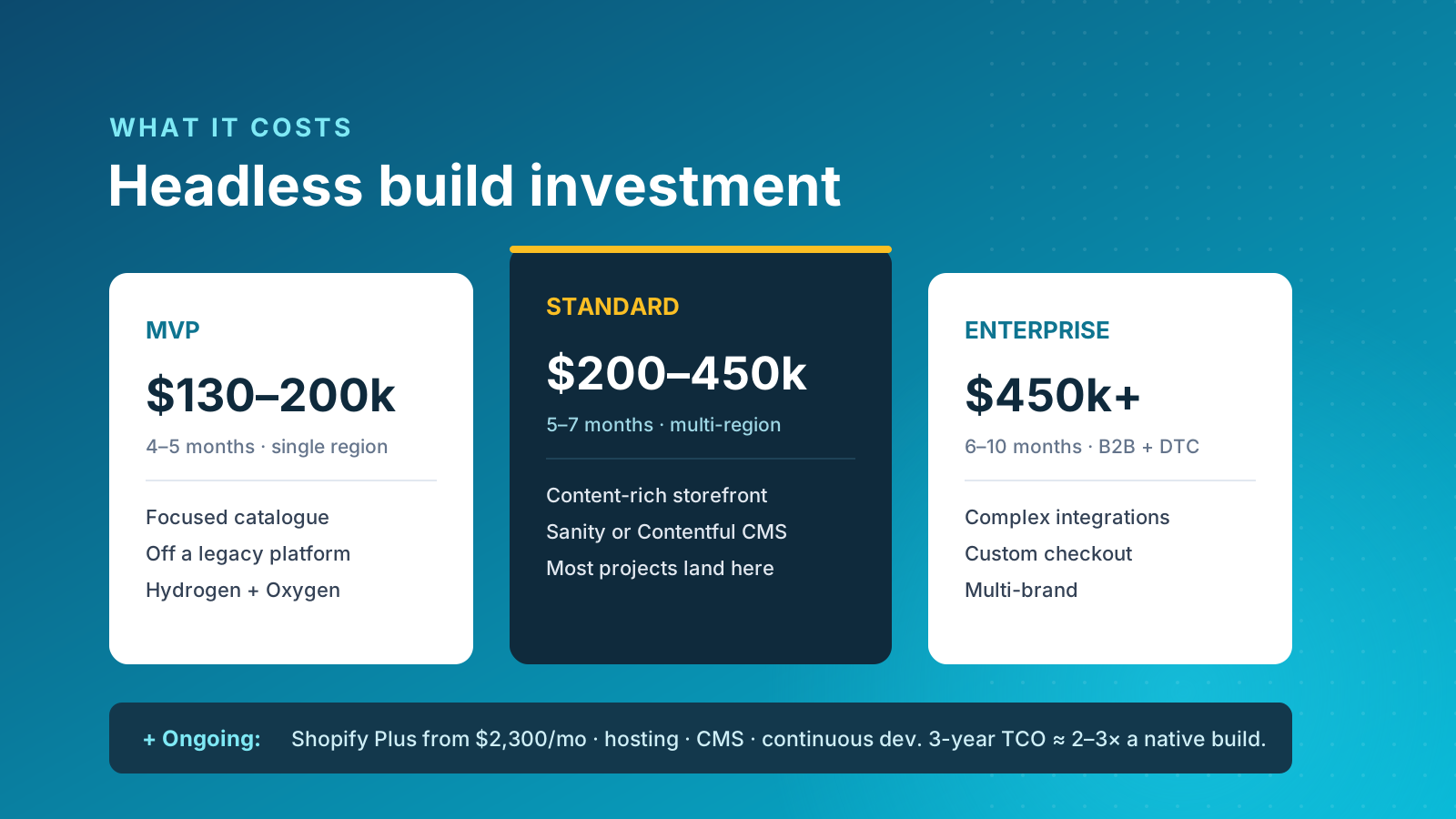
Cost is where headless projects most often go wrong, because the build is only part of the picture. Industry pricing for a properly executed headless Shopify build typically starts around $130,000 to $200,000 for a focused MVP, rises to $200,000 to $450,000 for a standard content-rich build across multiple regions, and exceeds $450,000 for enterprise implementations with B2B, complex integrations or custom checkout requirements.
Then there are the ongoing costs that brands underestimate. Shopify Plus starts at around $2,300 per month. Hosting is included if you use Oxygen, or runs a few hundred to a couple of thousand dollars a month on alternatives like Vercel. A headless CMS adds its own subscription. Most importantly, you need a budget for continuous development, because a custom storefront requires updates, security patches and new features that a theme would handle for you. Over a three-year horizon, the total cost of ownership of a headless storefront is commonly two to three times that of a native Shopify Plus build.
That premium only makes sense when it is justified by measurable outcomes. A build that lifts conversion on a store doing several million dollars a year pays for itself quickly. The same build on a smaller store, where the existing theme already performs well, may never pay back. For context on plan-level pricing, our Shopify pricing guide breaks down each tier.
Headless Shopify and SEO
The most common worry we hear is whether going headless will hurt search rankings. Done properly, it will not, and where performance improves meaningfully it tends to help. There are three things that have to be right.
First, server-side rendering is non-negotiable. Both Hydrogen and Next.js support it, so search engines receive fully rendered HTML rather than an empty shell that depends on JavaScript. Second, the redirect map is the highest-risk item in any migration: every old URL needs a 301 to its new equivalent, built and tested before launch. Third, structured data must be implemented deliberately, because native themes generate product and article schema automatically and a headless build does not. Get those three right and the speed gains from a headless architecture feed directly into Core Web Vitals and, in turn, rankings.
Our View on Going Headless
Charle builds both native and headless Shopify storefronts, so we have no incentive to push one over the other. Our honest position is that most Shopify and Shopify Plus brands should stay native. A well-built Online Store 2.0 theme now covers a remarkably wide range of requirements, launches in a fraction of the time, and gives your team day-to-day control without a developer in the loop. The cost and ongoing maintenance of a headless build rarely pay back below a certain scale.
We would choose headless in three situations, and we would want at least two of them to be true: when site speed is a measured revenue bottleneck rather than a hunch, when you have committed React development resource to maintain the storefront, and when your content team has genuinely outgrown the Shopify admin. If a brand cannot point to a specific, measurable problem that native Shopify cannot solve, we think the money is better spent on conversion work, search and a faster theme. Headless is a tool for a particular job, not a trophy, and the brands that get the most from it are the ones that needed it in the first place.
If you are weighing up the decision and want a straight answer rather than a sales pitch, our headless Shopify team is happy to talk it through.



