 Nic Dunn, CEO, Charle Agency
Why Subscriptions Matter for Scaling Brands
The subscription economy continues to accelerate. Industry projections suggest the global subscription ecommerce market will surpass $450 billion by the end of 2026, with DTC brands leading much of that growth. But the real value of subscriptions for businesses goes beyond following a trend. Successful subscription businesses across the world are proving that recurring income transforms how merchants plan, invest, and scale.
For brands operating at scale, subscriptions solve fundamental business challenges. They create predictable cash flow that transforms financial planning, allowing you to forecast with confidence, improve inventory management, and make investment decisions based on reliable projections rather than hope. When 30% or more of your income arrives on a predictable schedule, the entire business operates differently. This advantage gives merchants the confidence to invest in growth.
The customer lifetime value impact is equally significant. Subscribers typically spend 60% more over their lifetime compared to one-time purchasers. They're also cheaper to retain than to acquire. With customer acquisition costs continuing to climb across paid channels, shifting more revenue to subscription models makes financial sense.
This plays out consistently across our client base. Brands that implement subscription programs effectively don't just add a revenue stream. They change the economics of their entire business. The question isn't whether subscriptions make sense for growing brands. It's how to implement them in a way that maximizes their potential.
Before You Start: Shopify Subscription Eligibility
Two things stop more subscription launches than anything else, and both are settings you can check in the Shopify admin in five minutes. Sort them before you install anything.
Your payment gateway has to support recurring billing
Shopify only processes recurring charges through a short list of payment gateways. Your store needs one of these active in the Shopify admin under Settings, then Payments:
- Shopify Payments
- PayPal Express
- Authorize.net
- Adyen on Shopify
- Stripe, available to selected merchants only
Shopify Payments is the path of least resistance. It sets up inside the Shopify admin with no extra transaction fee from Shopify, which matters because Shopify applies an additional fee on every order when you use an external gateway, as covered in our breakdown of Shopify pricing. Every subscription app in the Shopify App Store will automate recurring charges through Shopify Payments without further configuration. If your store runs on a gateway outside that list, subscriptions will not process and no app will rescue you.
Shoppers can still pay through accelerated checkout methods including Shop Pay, Apple Pay, Google Pay and PayPal. Local payment methods such as Klarna, iDEAL and Sofort do not support recurring charges, so any customer relying on those cannot subscribe.
Sales channel and product limits
Subscription products are supported on the Online store and custom storefront sales channels. A subscription-only product with no one-time purchase option can be sold only through the Online store channel. You can also sell subscriptions face to face with Shopify POS, which is worth knowing if you run retail alongside ecommerce, because almost no subscription guide mentions it and it is a genuine acquisition channel for replenishment products.
One limitation catches brands out repeatedly: subscriptions cannot be sold as part of a Shopify product bundle. If you want a subscription box built from multiple items, the box has to exist as its own product, or you need an app that builds the box and hands a single line item to the subscription app.
How to Set Up Subscriptions on Shopify: Step by Step
The setup runs through six steps. Four of them happen in the Shopify admin, one happens in your chosen subscription app, and one happens in the theme editor. Work through them in order, because each step depends on the one before it.
Step 1: Install a subscription app from the Shopify App Store
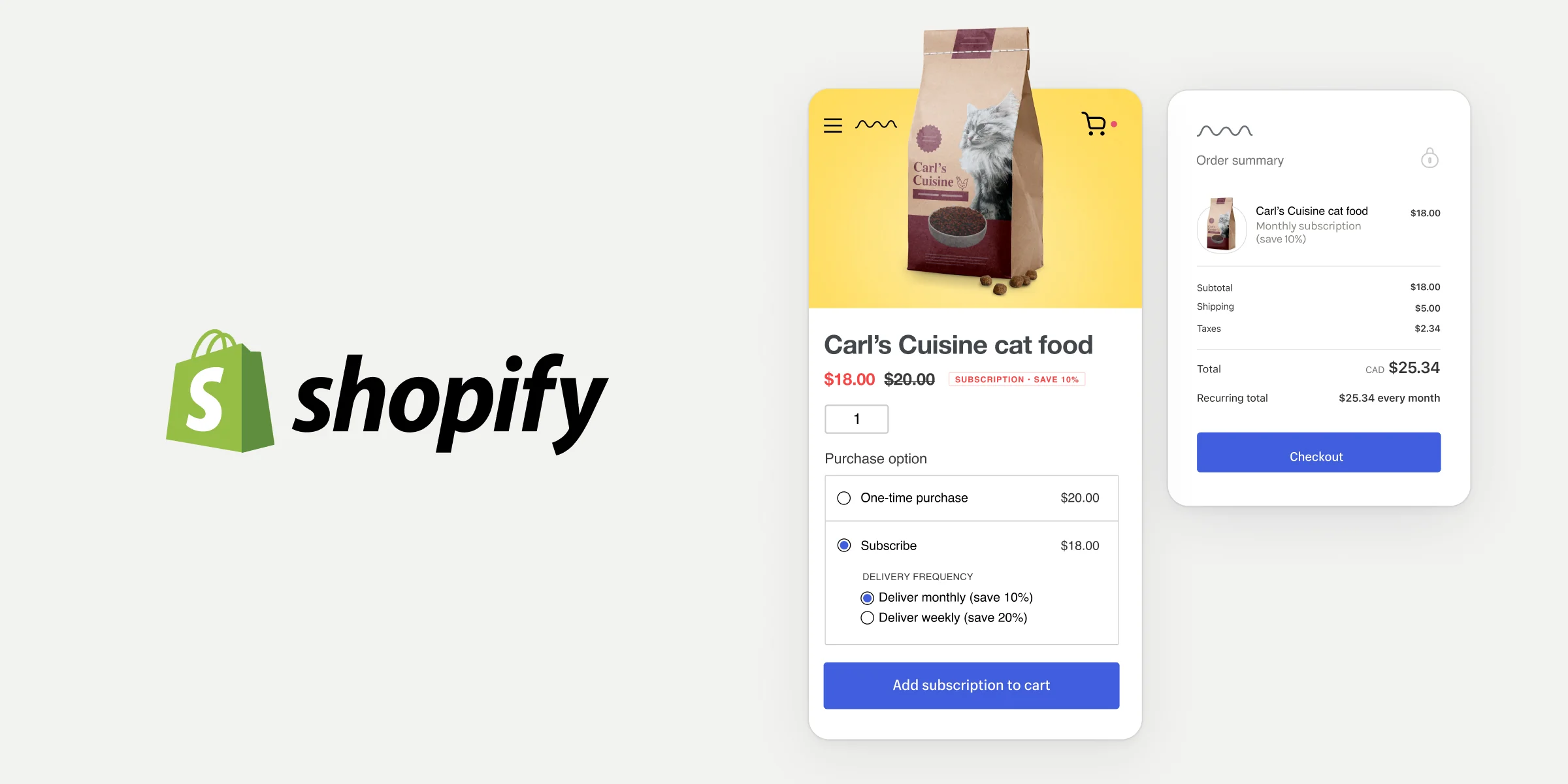
Shopify does not process recurring payments on its own, so every subscription program starts with an app. Open the Shopify App Store from your Shopify admin, search for subscriptions, and pick one. The free first-party Shopify Subscriptions app is the fastest way to start and is built directly into the Shopify admin, so you manage plans and subscription contracts without leaving your store. Recharge, Skio, Loop Subscriptions, Appstle and Seal Subscriptions are the main third-party subscription apps, and we compare them properly further down this guide. If you are still building out your wider app stack, our roundup of the best Shopify apps covers what else is worth installing alongside a subscription app.
Click Add app, accept the permissions, and follow the app's own onboarding. Most apps ask about your business model and connect themselves to your Shopify Payments account during setup. Check the integration list before you commit, because the app needs to pass subscription data to your email platform and your fulfillment system, and a missing integration there costs far more to work around later than the price difference between two apps. Do this first. Nothing else in the Shopify admin will show subscription options until an app is installed.
Step 2: Create your subscription plans
A subscription plan, which Shopify calls a selling plan, is the rule set that turns a normal product into a subscription product. You create one either inside the subscription app's dashboard or straight from the product page in the Shopify admin. Each plan needs a name for your own reference, a title that shoppers see on the storefront, the products it applies to, the delivery frequency, and the discount.
Frequency is the setting that decides whether your product subscriptions survive. It should follow how quickly the product actually gets used. Coffee at 250g a week is a fortnightly plan. A 90-day supplement is a quarterly plan. Guessing here is the most common cause of early cancellations, because a subscriber who keeps stockpiling product will pause and then never come back.
On discount, 10% to 15% is the working range for consumable goods. You can apply fixed amount, percentage, buy X get Y, or free shipping discounts, and you can set whether a discount code applies to subscription purchases, one-time purchases, or both from the Purchase type section of the Create discount code page in the Shopify admin.
Create more than one plan if it suits your catalog. Offering a monthly and a quarterly option on the same product lets shoppers self-select their own cadence, and it reliably lifts subscription conversion rate over a single forced frequency.
Step 3: Turn products into subscription products
With plans built, apply them to your catalog. In the Shopify admin:
- Go to Products and click the product you want to sell on a recurring basis.
- Find the Purchase options section on the product details page. Subscription details for that product and its variants appear here once an app is connected.
- Decide how it sells. Tick Only sell this product as a subscription to make it subscription-only, or leave it unticked so shoppers can choose between a one-time purchase and a subscription.
For most brands, leave one-time purchase available. Forcing a subscription on a first-time buyer who has never tried the product suppresses trial and hurts your acquisition numbers far more than the recurring revenue it wins.
Step 4: Add the subscription widget to your product page template
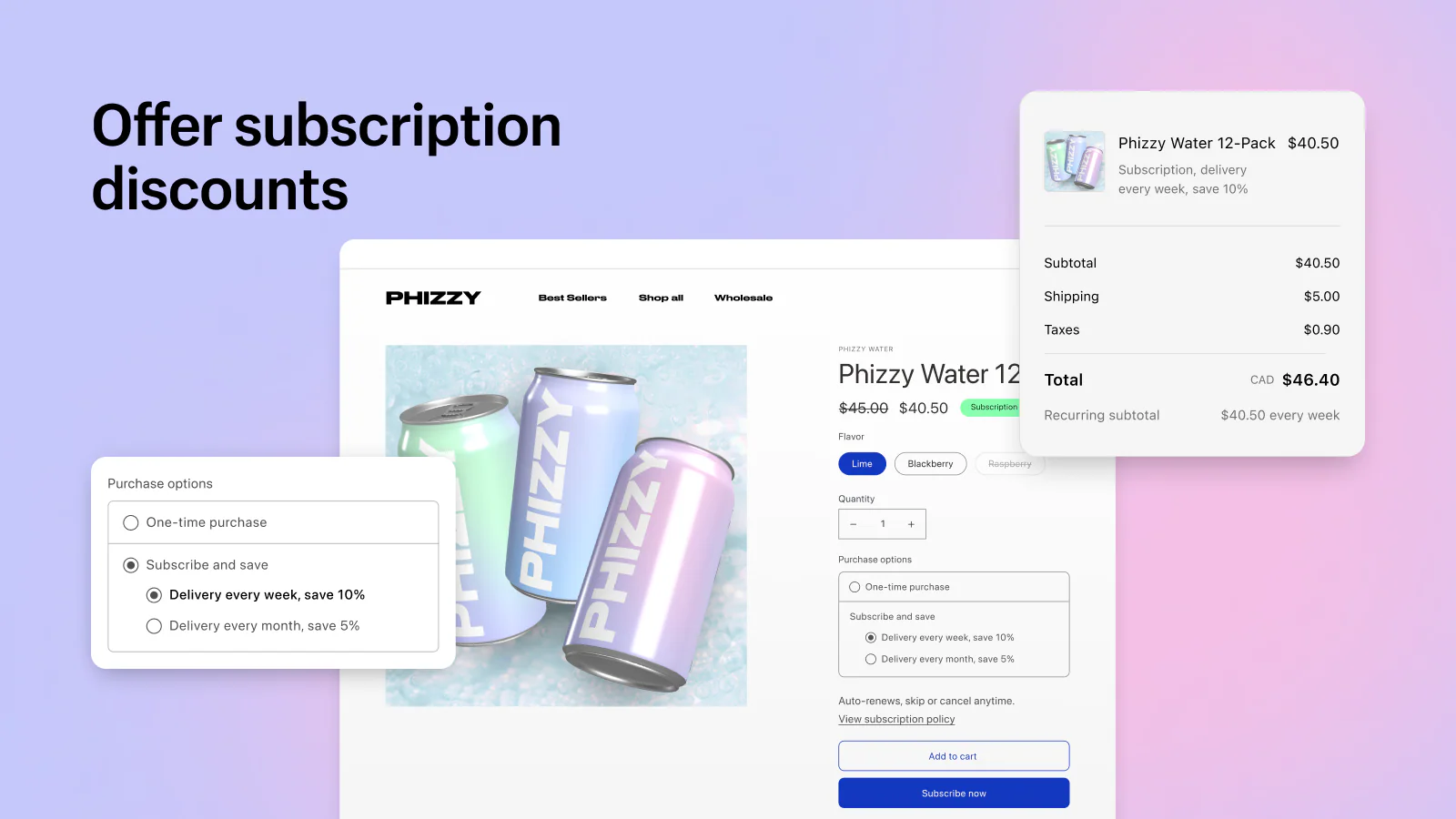
This is the step that gets skipped, and it is the reason plenty of stores have subscription plans configured that no customer can actually see. The subscription widget is the block that renders the subscribe and save selector on the product page. Without it, your subscription products look like ordinary products.
On an Online Store 2.0 theme, from your Shopify admin:
- Go to Online store, then Themes, and click Edit theme on the theme you want to change.
- Select the product template you want the widget on, or create a new template for subscription products.
- Under Product information, click Add block and select Subscription widget.
- Adjust the widget's colours, fonts and layout to match your theme, drag the block to the position you want on the page, and click Save.
If your theme supports theme blocks, check that the Subscription widget toggle in the App embeds section of the theme editor is switched off, otherwise the widget can render twice or fail to appear. On vintage themes the widget is only supported on Debut 15.0 or later and Brooklyn 17.0 or later. There you add <div class="subscriptions_app_embed_block"></div> to product-template.liquid where you want the widget to sit, save, then turn the Subscription widget on from the App embeds icon in the theme editor.
Once the subscription widget is live, subscription details also display on the cart page and the thank you page, so shoppers see the commitment they are making at every stage rather than discovering it after payment.
Step 5: Publish your subscription policy
When you set up a subscription, Shopify automatically adds a purchase options cancellation policy to your store policies. It is linked on the cart page, in the express checkout section, and in the checkout footer as your subscription policy. Customers have to accept it before they can complete a subscription purchase.
If you leave that policy blank in your Shopify admin settings, Shopify shows a generated template instead. That template is legally thin and reads like boilerplate, which is exactly the wrong signal at the moment a customer is committing to a recurring charge. Go to Settings, then Policies, and write your own. Cover the billing schedule, how to pause or cancel, notice periods, and what happens to a part-shipped order. Under the FTC click-to-cancel rule and state automatic renewal laws such as California ARL, the cancellation terms need to be genuinely clear before purchase, not buried.
Step 6: Switch on subscription management in customer accounts
Subscribers who cannot manage their own subscription email your customer service team instead, and that cost scales linearly with your subscriber count. Shopify Subscriptions can add self-service management to your checkout and customer account pages through the checkout and accounts editor:
- From your Shopify admin, go to Settings, then Checkout.
- In the Configurations section, click Edit on the configuration you want to change.
- Click the Apps icon in the sidebar and search for the Subscriptions app.
- Add the Subscription management block to Accounts, the Order action button to Orders and Order status, and the Manage subscription link to the Thank you page.
- Click Save, then add a link to the Subscription management page in your customer account menu so people can find it.
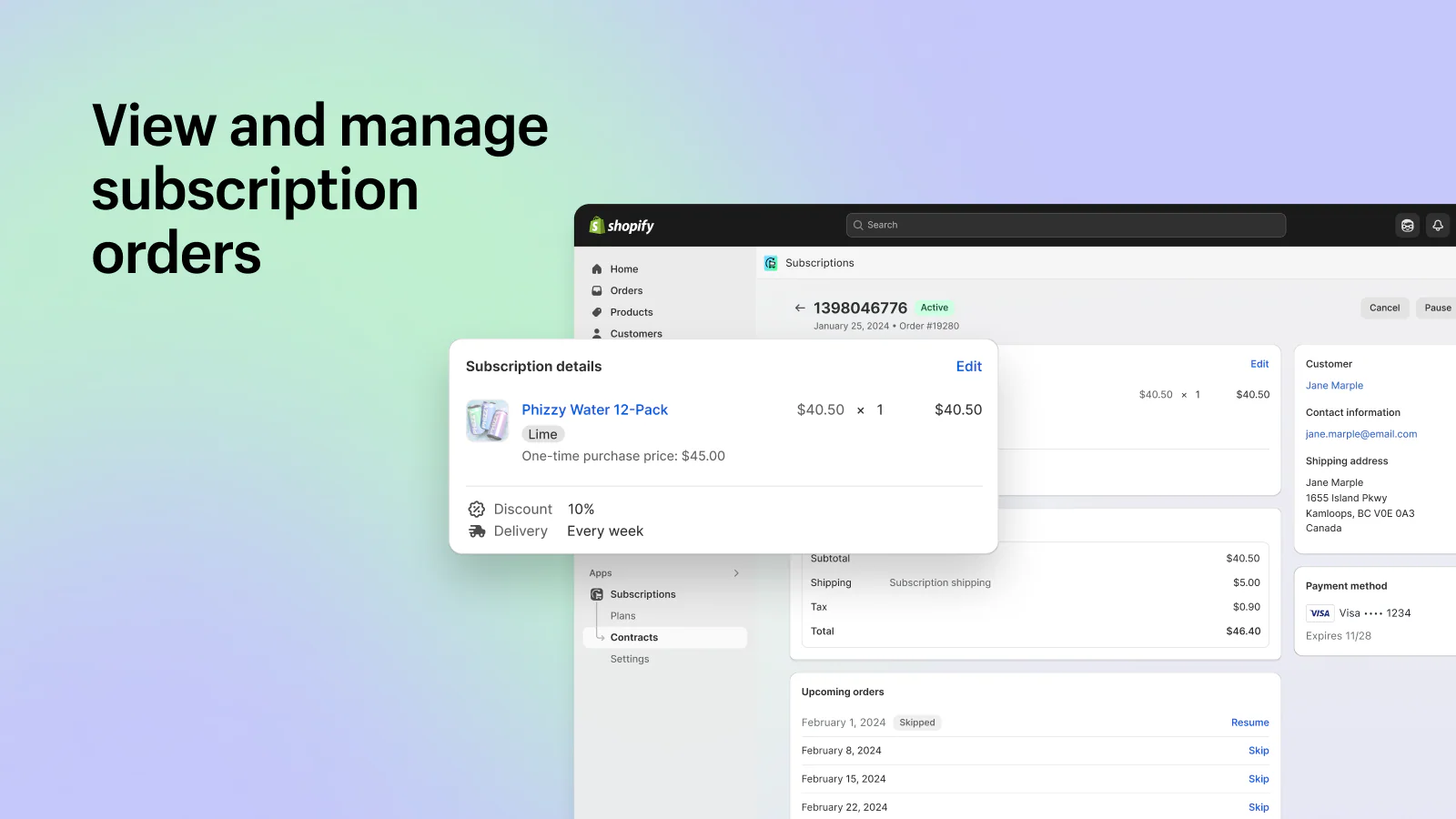
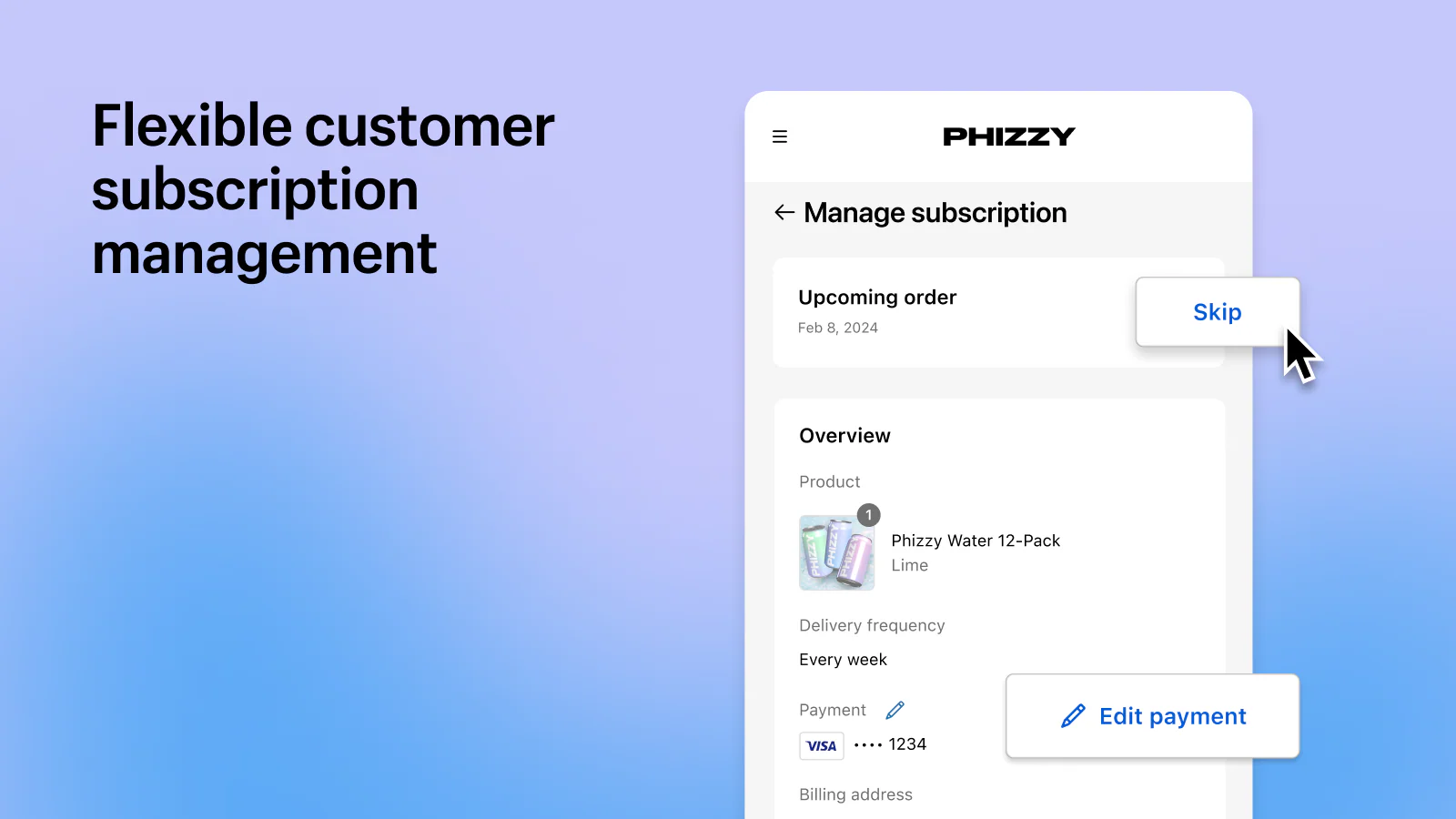
With this active, subscribers sign in to their account and can skip, pause, resume or cancel a delivery, swap the payment method, and change the shipping address themselves. Customer payment information is stored securely by Shopify, and as the store owner you never see the full card number after it has been entered. Every renewal after the first charge reuses that same stored payment method automatically.
Step 7: Test the whole flow before you launch
Place a real subscription order on your own store and follow it all the way through. Check the widget renders correctly on mobile as well as desktop, that the discount applies at checkout, that the confirmation and upcoming renewals emails fire, that the subscription appears in the app dashboard as an active contract, and that canceling from the customer account actually cancels it. Then check the order lands in your fulfillment process tagged as a subscription order, because a warehouse that cannot distinguish a subscription order from a one-off will eventually ship the wrong thing.
Give the setup a week of live orders before you promote it. The failures that matter tend to surface on the second billing cycle, not the first.
Subscription Models That Work
Not all subscription models suit all products. Choosing the right structure for your brand and your customers is the foundation of a successful program.
Replenishment Subscriptions
The most straightforward model. Customers receive regular deliveries of products they use consistently: coffee, supplements, skincare, pet food, household essentials. The value proposition is convenience and often a discount for committing to regular purchases. Replenishment works best when your product has a natural consumption cycle and customers would buy it repeatedly anyway. The subscription simply removes friction and ensures they buy from you rather than a competitor.
Curation Subscriptions
Here, the subscription itself is the product. Customers pay for the experience of receiving curated selections: beauty boxes, wine clubs, book subscriptions. Curation models can command premium pricing because the discovery element adds value beyond the products themselves. They also create natural opportunities for introducing customers to new products in your range.
Access and Membership Models
Customers pay for perks rather than products: exclusive pricing, early access to launches, members-only content, or premium services. Memberships work particularly well for brands with loyal customer bases and can be combined with other subscription types. A membership fee might open up discounted subscription plans on replenishment products, giving shoppers multiple ways to engage with your brand.
Build-a-Box and Hybrid Models
Giving customers control over what they receive in each delivery combines the predictability of subscriptions with the flexibility customers want. Build-a-box functionality lets subscribers customize their orders while maintaining the recurring relationship. We've implemented complex build-a-box systems for brands like Bio&Me, where customers can mix and match products within their subscription.
The most successful subscription programs often blend elements from multiple models. A replenishment subscription might include membership benefits. A curation box might allow some customization. The key is understanding what your customers actually want and designing around that, not forcing them into a rigid structure.
Choosing Your Subscription Platform
Your choice of subscription platform shapes what's possible. The right platform for a brand doing $500k in subscription revenue looks different from one doing $5m. Here's how the main options compare for serious Shopify brands.
The 2026 change you need to know about first
On April 30, 2026, Recharge acquired Skio for $105 million in cash, the largest private acquisition the subscription commerce category has seen. The combined business now serves more than 20,000 merchants and processes over $20 billion in GMV a year. Recharge has said nothing changes for existing merchants on either platform in the immediate term, with detail on a combined product to follow.
Every subscription comparison written before May 2026 frames Recharge and Skio as the two rival choices. That framing is now dead. If you are choosing a platform today, you are effectively choosing between one dominant incumbent, Shopify's own free app, and a smaller field of independents led by Loop, Appstle and Seal. Treat any older comparison, including our own earlier version of this article, with that in mind.
Shopify Subscriptions, the free first-party app
Shopify's own subscription app costs nothing, installs from the Shopify App Store, and runs inside the Shopify admin rather than in a separate dashboard. You can create auto-billed plans that renew weekly, monthly or yearly, apply percentage, fixed amount or buy X get Y discounts, modify, skip, pause and cancel contracts, send subscription email notifications, and view analytics on active, paused and canceled subscriptions. It also supports selling subscriptions through Shopify POS.
For a brand testing whether subscriptions work at all, this is now the correct starting point and it was not two years ago. The limitations show up as you scale: analytics stay basic, dunning and payment recovery are thin, there is no real cancellation flow to intercept churn, and the widget customization options run out quickly. Start here, and treat outgrowing it as a good problem.
Recharge
The most established subscription platform on Shopify, and after the Skio acquisition, comfortably the largest. Recharge offers enterprise-grade features and extensive customization, handles complex subscription logic well, and integrates with most of the tools growing brands already run. The trade-off is complexity: it can do almost anything, and that power comes with a steeper learning curve and higher implementation cost. Pricing starts at $99 per month plus transaction fees.
Skio
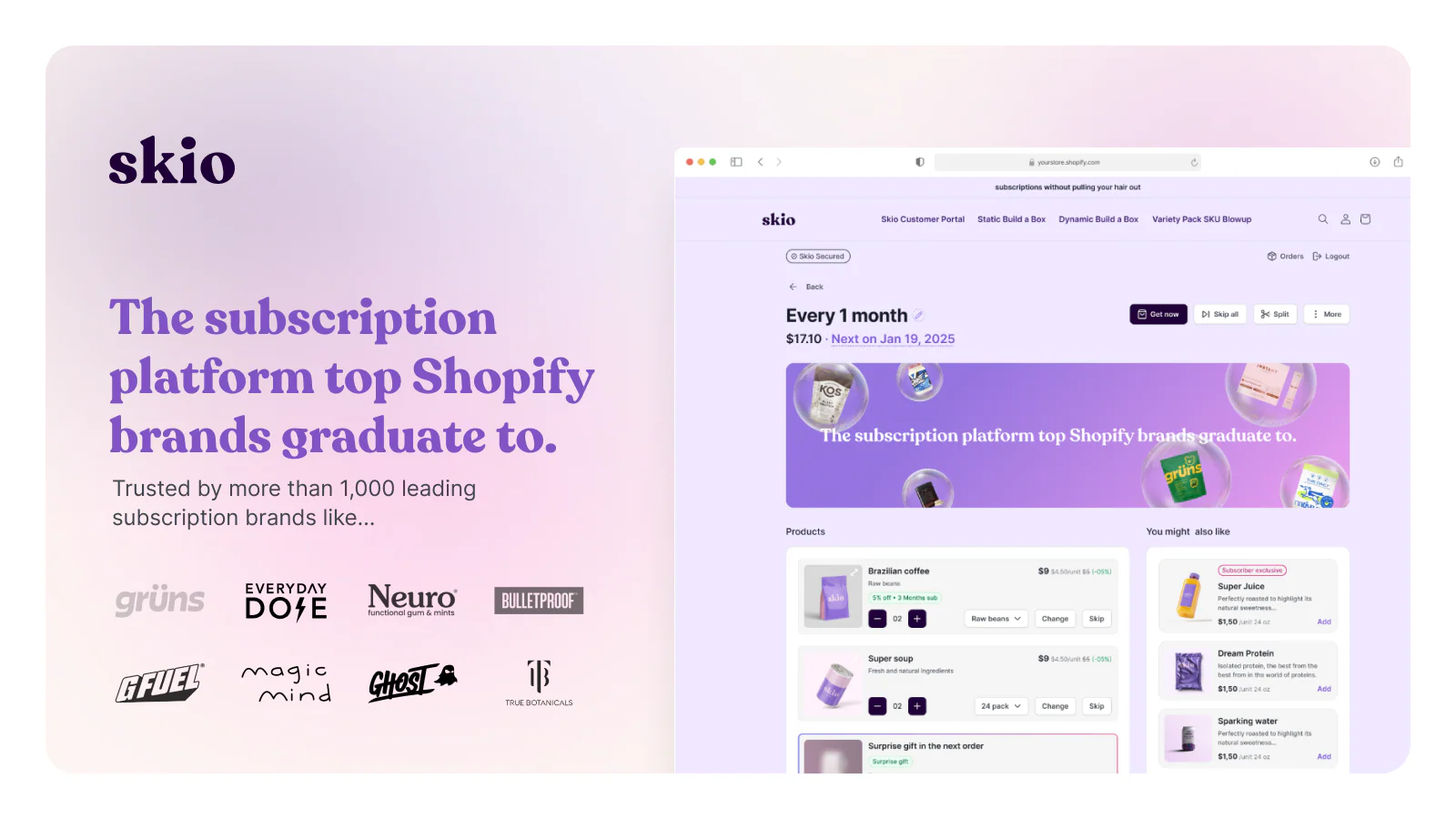
Built for high-growth DTC brands, Skio focused on retention and subscriber experience: passwordless login, a modern customer portal, and cancellation flows designed to intercept churn before it happens. Brands that migrated from Recharge to Skio consistently cited the improved customer experience and more intuitive management. Skio now sits inside Recharge, so the practical question has shifted from which of the two you pick to how much of Skio's subscriber experience carries into the combined product.
Loop Subscriptions
Loop positions itself as a retention-focused platform with strong analytics and customer engagement tools. Its gamification features and loyalty integrations can help increase subscriber lifetime value and customer loyalty. Loop works well for merchants that want to create more engaging subscription experiences beyond simple replenishment, with strong reporting and insights.
Making the Decision
Start on the free Shopify Subscriptions app unless you already know you need something it cannot do. Move to Recharge when you hit a specific wall: dunning and failed payment recovery at volume, build-a-box, prepaid plans, tiered subscription pricing, or an API-driven build. Look at Loop, Appstle or Seal when you want independence from the incumbent or a retention feature set at a lower price point.
The single worst way to choose is by feature-list comparison. Every platform's marketing site lists roughly the same capabilities. Pick based on the two or three things your subscription program actually depends on, then check those specific things in a trial account before you commit, because that is where the platforms genuinely differ.
Growing Your Subscriber Base
Having a subscription option isn't enough. Actively growing your subscriber base requires intentional strategy across multiple touchpoints.
Converting One-Time Buyers
Your existing customers are your best subscription prospects. They've already bought from you, which means they trust your brand and like your products. Post-purchase flows that introduce subscription options to one-time buyers consistently outperform trying to convert cold traffic directly to subscriptions.
The timing matters. Introduce subscriptions when customers are most likely to be receptive: after they've received and used their first order, when they're about to run out, or when they return to repurchase. A well-timed email suggesting they "never run out" of a product they've bought twice converts significantly better than a generic subscription pitch.
Subscription Landing Pages
Dedicated landing pages for your subscription program let you tell the full story: what subscribers get, why it's valuable, how it works, and what others say about it. These pages should address common objections directly. Can I pause? What if I want to change products? How do I cancel? Removing uncertainty removes friction.
The best subscription landing pages we've built include clear value propositions, transparent pricing, social proof from existing subscribers, and straightforward explanations of how the subscription works. These pages should be optimized for maximum conversion. They treat the subscription as a product worth selling, not just an option to tick on a product page.
Incentive Structures That Work
Discounts drive subscription sign-ups, but the structure matters. A percentage off each order (10-15% is typical) provides ongoing value. A larger first-order discount (20-25% off) can boost initial conversions but may attract subscribers who cancel quickly. Free gifts at milestones (a bonus product at 3 months, 6 months, 12 months) reward loyalty and give subscribers reasons to stay.
Brands routinely damage their subscription economics with overly aggressive discounting. If your only selling point is the discount, you'll attract price-sensitive subscribers who leave the moment something cheaper appears. The discount should be part of the value proposition, not the entire thing.
Email and SMS for Acquisition
Dedicated flows for subscription acquisition should be part of your retention marketing strategy. These aren't the same as your standard promotional emails. Subscription-focused flows educate your audience, address objections, and build the case for recurring purchases over time. Share content about the advantages of subscribing and use updates to keep prospects engaged.
Segment your approach based on customer behavior. Someone who has purchased the same product three times is a different prospect than someone who bought once six months ago. Your messaging and offers should reflect that difference.
Increasing Subscriber AOV
Growing subscriber numbers is only part of the equation. Increasing how much each subscriber spends per order directly impacts your subscription revenue without requiring more customers.
Upselling Within Subscriptions
Subscribers who trust you enough to commit to recurring purchases are often receptive to product upgrades. A subscriber on your standard coffee blend might upgrade to a premium single-origin. Someone receiving a basic skincare subscription might add a serum or treatment product. The key is making these upgrades easy to add without disrupting the existing subscription.
Present upsell opportunities at natural moments: when subscribers log in to manage their subscription, in order confirmation emails, or through dedicated "upgrade your subscription" campaigns. Frame upgrades around the benefit to the customer, not just the price increase.
Cross-Selling and Add-Ons
One-time add-ons to subscription orders let customers try new products without committing to another recurring purchase. Product bundles work particularly well here. This is particularly effective for launching new products to your most engaged customer segment. A subscriber ordering their regular delivery might add a new flavour or format to try, with no ongoing commitment.
Some subscription platforms handle add-ons better than others. Look for functionality that lets customers easily add products to their next delivery without creating a separate order or subscription.
Tiered Subscription Offerings
Multiple subscription tiers at different price points let customers self-select based on their needs and budget. A three-tier structure (good, better, best) is common: a basic option for price-conscious subscribers, a mid-tier that represents the best value, and a premium tier for your most committed customers.
Design tiers so the middle option is genuinely the best choice for most customers. This anchors value perception and makes the decision easier. The premium tier exists for those who want everything, while the basic tier prevents you from losing customers who would subscribe but can't justify the higher price.
Flexibility That Drives Value
Counterintuitively, giving subscribers more control can increase AOV. When customers can easily adjust quantities, swap products, or change delivery frequency, they're more likely to order what they actually want rather than pausing or canceling because the fixed option doesn't fit their current needs. A subscriber who can increase their order when they're running low spends more than one stuck with a fixed quantity.
Subscription Retention at Scale
Acquisition gets attention, but retention determines subscription profitability. Reducing churn by even a few percentage points has an outsized impact on lifetime value and program economics.
Understanding Why Subscribers Leave
Before you can fix churn, you need to understand it. The reasons subscribers cancel typically fall into a few categories: they have too much product, they want to try something different, the price is too high, or their circumstances have changed. Each requires a different response.
Build cancellation flows that capture this information. When someone clicks cancel, don't just let them go. Ask why, and offer relevant alternatives. Someone with too much product might pause instead of cancel. Someone who wants variety might switch to a different product or a build-a-box option. Someone concerned about price might accept a discount to stay.
Dunning and Payment Recovery
Failed payments cause involuntary churn that's entirely preventable with the right solutions. Cards expire, banks flag unusual charges, and temporary insufficient funds happen. Without proper dunning sequences and automated workflows, these failed payments become lost subscribers.
Effective dunning includes automated retry logic (trying the card again after a few days often succeeds), customer notifications that make updating payment details easy, and escalating urgency in communications as the delivery date approaches. The best subscription platforms handle much of this automatically, but you should configure the sequences thoughtfully rather than accepting defaults.
Cancellation Flow Optimization
Your cancellation flow is your last chance to retain a subscriber who has decided to leave. This isn't about making cancellation difficult or hiding the option. That damages trust and often just delays the inevitable. Instead, it's about ensuring subscribers know their options before they go.
A well-designed cancellation flow presents alternatives based on the stated reason for leaving. Too much product? Offer to reduce frequency or quantity. Price concerns? Offer a discount or a smaller subscription tier. Want to pause? Make that easy. Need to cancel anyway? Let them go gracefully, leaving the door open for return.
Win-Back Strategies
Not every churned subscriber is lost forever. Win-back campaigns targeting former subscribers can reactivate a meaningful percentage, especially if you address the reason they left. Someone who canceled due to having too much product six months ago might be ready to restart. Someone who left for a competitor might return if their experience was disappointing.
Time your win-back efforts strategically. A campaign at 30 days post-cancellation catches people who may have acted impulsively. Another at 90 days reaches those who might have exhausted their remaining product. Offers should be compelling but not so aggressive that they train subscribers to cancel and wait for the win-back discount.
The Metrics That Matter
Track churn rate by cohort, not just overall. A 5% monthly churn rate means something different if it's consistent across cohorts versus concentrated in the first few months. Understanding when and why subscribers leave lets you focus retention efforts where they'll have the most impact.
Also track subscriber lifetime value, not just average order value. A subscriber who stays for 18 months at a lower AOV may be worth more than one who spends more but churns after three months. Design your program to optimize for total value, not just initial conversion.
Custom Implementation vs Out-of-the-Box
Every subscription platform offers default widgets and customer portals that you can install and launch quickly. For some brands, these defaults are fine. For brands where experience matters, custom implementation makes a significant difference.
When Default Widgets Hurt Your Brand
Out-of-the-box subscription widgets are designed to work for everyone, which means they're optimized for no one in particular. They sit on your product pages looking like what they are: third-party add-ons that don't match your store's design language. For brands that have invested in distinctive visual identity and user experience, these generic elements undermine the premium feel you've worked to create.
The customer portal is often worse. Default subscription management interfaces look nothing like your store. Subscribers click through to manage their subscription and land in what feels like a completely different website. The disconnect erodes brand consistency and can create confusion.
Custom Subscription UX
Custom implementation means building subscription touchpoints that feel native to your brand. Product page widgets that match your design system. Customer portals that extend your store's look and feel. Checkout experiences that flow naturally rather than jarring subscribers with unfamiliar interfaces.
Beyond aesthetics, custom implementation lets you optimize the subscriber journey based on your specific business logic. You can create unique subscription flows, build custom build-a-box experiences, and implement features that the default widgets don't support. Our work with brands like Candy Kittens and 111Skin involved building subscription experiences that felt completely native to their stores.
API-Driven Approaches
Modern subscription platforms like Skio and Recharge offer robust APIs that let developers build custom front-end experiences while leveraging the platform's back-end infrastructure. This approach gives you the reliability and features of an established platform with the flexibility to create exactly the experience you want.
API-driven implementation requires development expertise, but for brands at scale, the investment pays off in subscriber experience and program performance. The best implementations feel like subscriptions were built specifically for your store, because in a sense, they were.
Migration: Moving Platforms Without Losing Subscribers
If you've outgrown your current subscription platform or need capabilities it doesn't offer, migration becomes necessary. Done well, subscribers barely notice. Done poorly, you lose subscribers and revenue during the transition.
When to Switch Platforms
Consider migration when your current platform limits your growth: you need features it doesn't support, the customer experience is hurting retention, costs have become prohibitive relative to alternatives, or integration limitations are blocking other initiatives. Migration is disruptive enough that it should solve real problems, not just chase shiny new features.
Migration Best Practices
Successful migrations start with comprehensive data mapping. Every subscriber, their subscription details, payment information, upcoming orders, and history need to transfer accurately. Work with both platforms to understand their migration processes and any limitations.
Test extensively before the full migration. Move a small cohort first and verify everything works as expected: orders process correctly, customers can manage their subscriptions, payment processing functions properly. Identify and fix issues at small scale before they affect your entire subscriber base.
Communicate proactively with subscribers. Let them know about the change, when it's happening, and whether they need to do anything. Most migrations don't require customer action, but transparency builds trust and reduces support queries.
Minimising Subscriber Disruption
Time the migration to minimize impact. Avoid migrating just before a major billing cycle. Ensure customer portals are ready and functioning before you switch so subscribers don't try to manage their subscriptions during the transition and hit errors.
Have support ready for the immediate post-migration period. Even smooth migrations generate questions. A brief spike in support volume is normal and manageable with preparation.
Common Subscription Mistakes to Avoid
After implementing subscriptions for dozens of brands, the same mistakes derail subscription programs repeatedly. Avoiding these pitfalls will save you revenue and subscriber relationships.
Over-Discounting to Drive Sign-Ups
Offering 30% or 40% off to attract subscribers feels like a growth hack, but it backfires. You attract price-sensitive shoppers who cancel the moment a better deal appears elsewhere. Worse, you train your audience to expect deep discounts, making it harder to maintain margins. A 10-15% subscription discount is typically the sweet spot, enough to provide value without destroying your economics.
Making Cancellation Difficult
Hiding the cancel button or forcing subscribers to call customer service might reduce churn temporarily, but it destroys trust and generates negative reviews. Modern shoppers expect easy self-service cancellation. Instead of making it hard to leave, focus on presenting alternatives during the cancellation flow: pause options, frequency changes, product swaps, or a discount to stay.
Ignoring Failed Payments
Failed payments cause significant involuntary churn, yet many brands rely on default dunning settings without optimization. Cards expire, banks flag unusual charges, temporary insufficient funds happen. Without proper retry logic and proactive customer communications, these become lost subscribers. Review your dunning sequences quarterly and test that payment update flows work smoothly.
Launching Without Flexibility
Rigid subscriptions that only offer one frequency or don't allow product swaps frustrate subscribers. Life circumstances change, and subscription needs change with them. If a subscriber has too much product but can't reduce frequency, they'll cancel entirely. Build flexibility into your program from day one: multiple intervals, easy pausing, product customization where possible.
Not Testing the Full Subscriber Journey
Many brands test the sign-up flow but never experience their subscription as a real subscriber would. Place a test order, receive the confirmation emails, try to modify the subscription in the customer portal, attempt to pause and resume, update payment details, and yes, try to cancel. Issues that seem minor in isolation compound into poor experiences that drive churn.
Treating Subscriptions as Set and Forget
Launching subscriptions is the beginning, not the end. Successful subscription businesses continuously analyze performance, test new approaches, and optimize based on data. Monitor your metrics monthly, gather feedback from subscribers, and iterate. The brands that win at subscriptions treat their program as a product that requires ongoing attention and improvement.
Subscription Metrics and KPIs to Track
You can't improve what you don't measure. These are the metrics that matter most for subscription businesses on Shopify, and what good performance looks like.
Monthly Recurring Revenue (MRR)
Your predictable monthly income from active subscriptions. Track MRR growth over time and break it down by new subscriptions, expansions (upgrades and add-ons), and contractions (downgrades). Healthy subscription programs show steady MRR growth with new subscriptions outpacing churn.
Subscriber Churn Rate
The percentage of subscribers who cancel in a given period. Calculate monthly churn by dividing cancellations by total subscribers at the start of the month. For ecommerce subscriptions, 5-7% monthly churn is typical, though replenishment models often achieve 3-5%. Track churn by cohort to understand if newer subscribers retain better or worse than earlier ones.
Subscriber Lifetime Value (LTV)
The total revenue a subscriber generates before churning. Calculate by multiplying average order value by average subscription lifespan in orders. Compare subscriber LTV to one-time purchaser LTV to quantify the value of your subscription program. Subscribers should deliver significantly higher lifetime value, often 2-3x or more.
LTV to CAC Ratio
Subscriber lifetime value divided by the cost to acquire that subscriber. A healthy ratio is 3:1 or higher, meaning you earn three pounds for every pound spent acquiring a subscriber. If your ratio is below 3:1, either your acquisition costs are too high or your retention needs work.
Average Subscription Lifespan
How long subscribers stay active before canceling, measured in months or number of orders. This metric directly impacts LTV. If your average lifespan is 4 orders but competitors achieve 8, you have a retention problem worth solving. Analyse what happens at common drop-off points to identify improvement opportunities.
Subscription Conversion Rate
The percentage of eligible product views or carts that convert to subscription rather than one-time purchase. Track this alongside your overall conversion rate. If subscription conversion is significantly lower, investigate whether your subscription offer is compelling enough or if friction in the sign-up process is deterring shoppers.
Expansion Revenue
Revenue from existing subscribers upgrading, adding products, or increasing frequency. Expansion revenue indicates a healthy program where subscribers find ongoing value. If subscribers only ever maintain or reduce their subscriptions, it suggests opportunities to improve upselling and cross-selling within the subscriber base.
When to Bring in Experts
Subscription implementation ranges from straightforward to highly complex. Understanding when internal resources are sufficient versus when expert support makes sense helps you allocate resources effectively.
DIY Can Work When:
You're testing subscriptions with a simple replenishment model, your team has Shopify development experience, you're comfortable with default platform functionality, and you have time to learn through iteration. Many brands successfully launch subscriptions with internal resources and platform documentation.
Expert Support Makes Sense When:
You need custom implementation beyond default widgets. You're migrating from another platform with significant subscriber volume. Your subscription model involves complexity like build-a-box, tiered pricing, or custom logic. You're on Shopify Plus and want to leverage platform capabilities fully. Or you simply want to get it right the first time without the learning curve.
What to Look for in a Partner
Subscription implementation is specialised work. Look for partners with demonstrable experience building subscriptions specifically on Shopify, relationships with the major subscription platforms (Skio, Recharge, Loop), and a portfolio showing custom implementations, not just default installs. Ask about their process, how they handle migration, and how they approach ongoing optimization.
At Charle, subscriptions are a core part of what we do. We've implemented subscription systems for brands across food and beverage, beauty, wellness, and consumer goods. We have direct partnerships with Skio and Recharge that give us insight into platform capabilities and roadmaps. If your subscription program is strategic to your business, we'd welcome the opportunity to discuss how we can help. Get in touch to start the conversation.
What we'd do differently on your first subscription launch
Here is the uncomfortable version, given we are an agency that gets paid to build subscription programs: most brands should not hire anyone for their first one.
Launch on the free app, not on the platform you will eventually need
The standard agency pitch is to scope Recharge from day one because that is where you will end up. We think that is the wrong order. A first subscription launch is a demand test, and you cannot know your frequency, your discount, or your churn shape until real customers have run through two billing cycles. Building a custom portal before you have that data is paying to automate a guess. Launch on Shopify Subscriptions, take the limitations for a quarter, and let the program tell you which wall you hit first. The migration cost later is far smaller than the cost of building the wrong thing now.
The delivery frequency is worth more than the discount
Almost every subscription setup guide, including the ones ranking above this page, treats the discount as the main lever and frequency as a detail. That is backwards. A subscriber who receives product faster than they consume it will churn regardless of the discount, because the pile under the sink becomes a standing argument for canceling. A subscriber on the right cadence often stays without much of a discount at all. If you only get one decision right in your setup, make it the interval, and give people at least two intervals to choose between so they can correct your guess for you.
Build the cancellation route before you build the acquisition push
Making cancellation hard is the most reliably self-defeating choice in subscription commerce. It produces chargebacks instead of cancellations, and a chargeback costs you the revenue, the fee, and the customer. It is also a poor position to defend under the FTC negative-option rule and state automatic renewal laws. Put self-service cancellation in the customer account from day one, and spend your effort on the offer that appears at the moment someone clicks cancel, which is where a pause option or a frequency change recovers a meaningful share of people who were about to leave for good.
Our actual opinion, stated plainly
We would rather a brand launched a deliberately simple subscription program this month than a sophisticated one in six months. Subscriptions compound, and the compounding starts on the day you take the first recurring order, not the day the custom portal ships. The brands that struggle are rarely the ones who launched with a basic setup. They are the ones who spent two quarters specifying and never launched at all.



