 Nic Dunn, CEO, Charle Agency
Quick Answer: What Is a Shopify Web Designer?
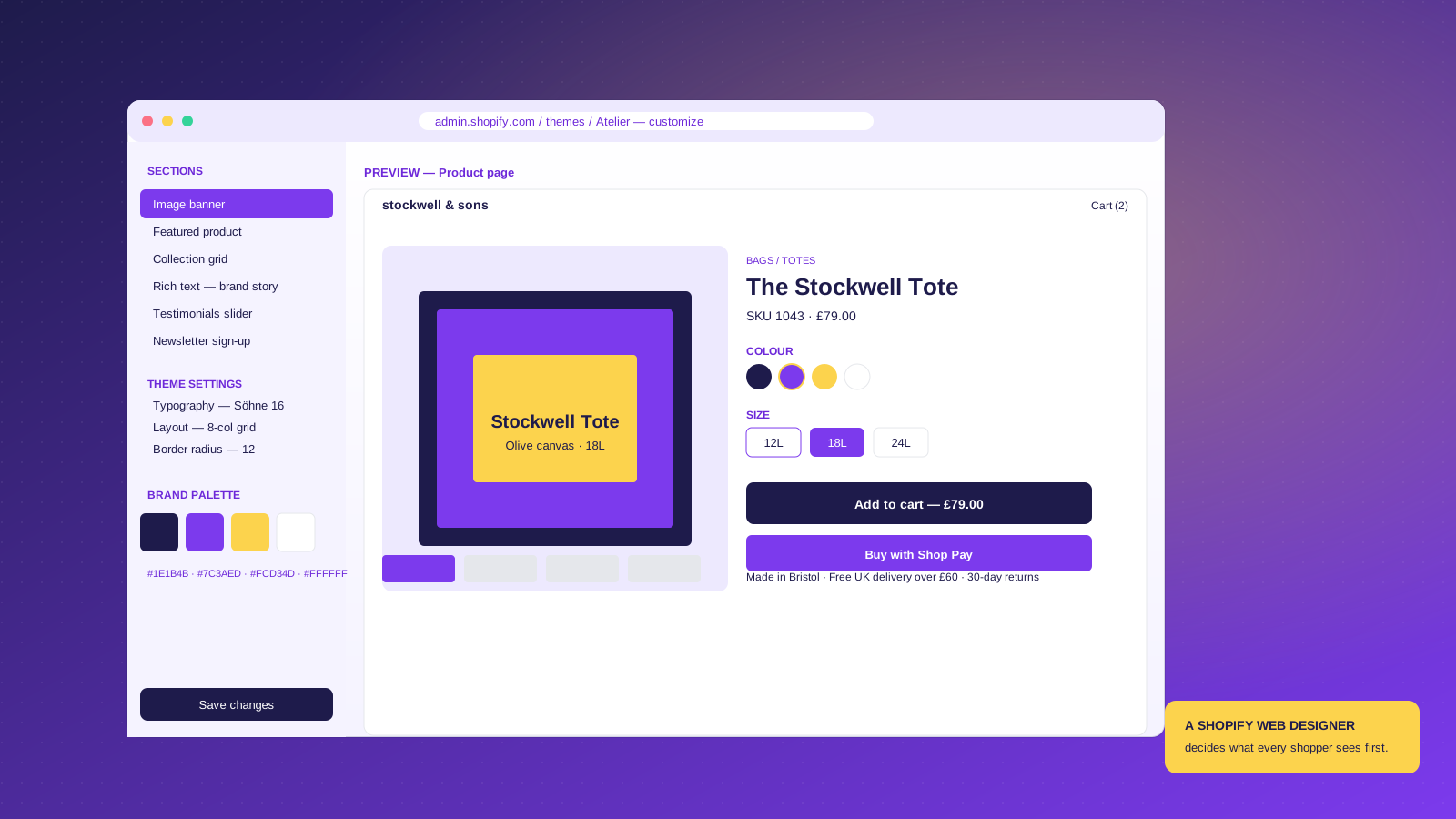
A Shopify web designer is a professional who designs and configures Shopify websites so they convert browsers into customers. Their job is the visual design, user interface, navigation, user experience, and template-level customization of a Shopify storefront. They work inside the Shopify admin and theme editor, set up the brand palette, typography and layout, customize the product, cart, and checkout pages, and ensure the storefront is responsive on mobile.
The rest of this article explains how the role differs from a Shopify developer, what skills to look for, what UK Shopify web design typically costs in 2026, and when hiring a designer beats configuring a theme yourself.
The Role of a Shopify Web Designer
The role centers on one question: what should every user see, click, and remember? A Shopify web designer answers that across the homepage, collection pages, product pages, cart drawer, and checkout. The output is a website that fits the brand, works for the actual catalog, and serves real business goals.
On a typical project, a Shopify web designer:
- Runs a discovery workshop to map the brand, customers, and key products
- Designs the homepage, collection template, product template and cart in Figma or the Shopify theme editor
- Sets the brand palette, typography, spacing and component library inside the theme settings
- Builds responsive layouts that work on mobile, where 68% of US ecommerce sessions happen
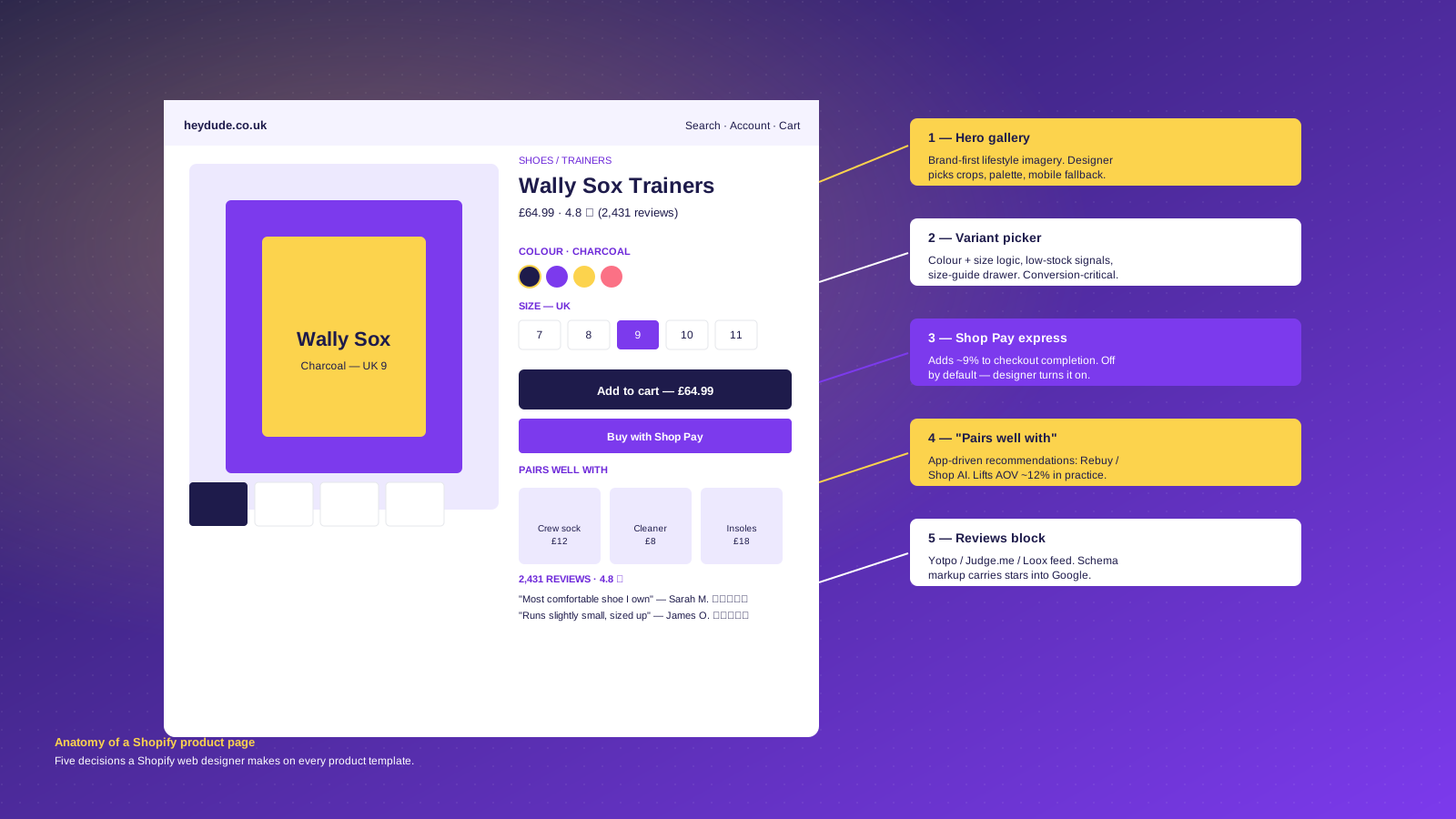
- Customizes product page anatomy: gallery, variant picker, recommendation block, Shop Pay express, and reviews
- Configures third-party apps and plugins like Klaviyo, Yotpo, Rebuy, and Recharge for clean integration
- Adds schema markup for products, reviews, FAQs, and breadcrumbs so the storefront is visible in Google and AI search
- Works on Core Web Vitals: image optimization, theme cleanup, removing apps that hurt speed
- Hands over with documentation and a training session so the merchant can update the store themselves
The freelancermap survey of Shopify web designers names the same core responsibilities: a unique, user-friendly site adapted to brand specifications, store templates that work with a business's plugins, search-engine-friendly pages, integration of components like CRM tools with the Shopify store, and ongoing testing. See freelancermap's role profile.
One responsibility that lives quietly inside that list is conversion-rate optimization. A well-designed Shopify store should have measurably better conversion than the same brand on a generic theme. If the designer is not thinking about optimization, the role is being done at half power.
Shopify Web Designer vs Shopify Developer
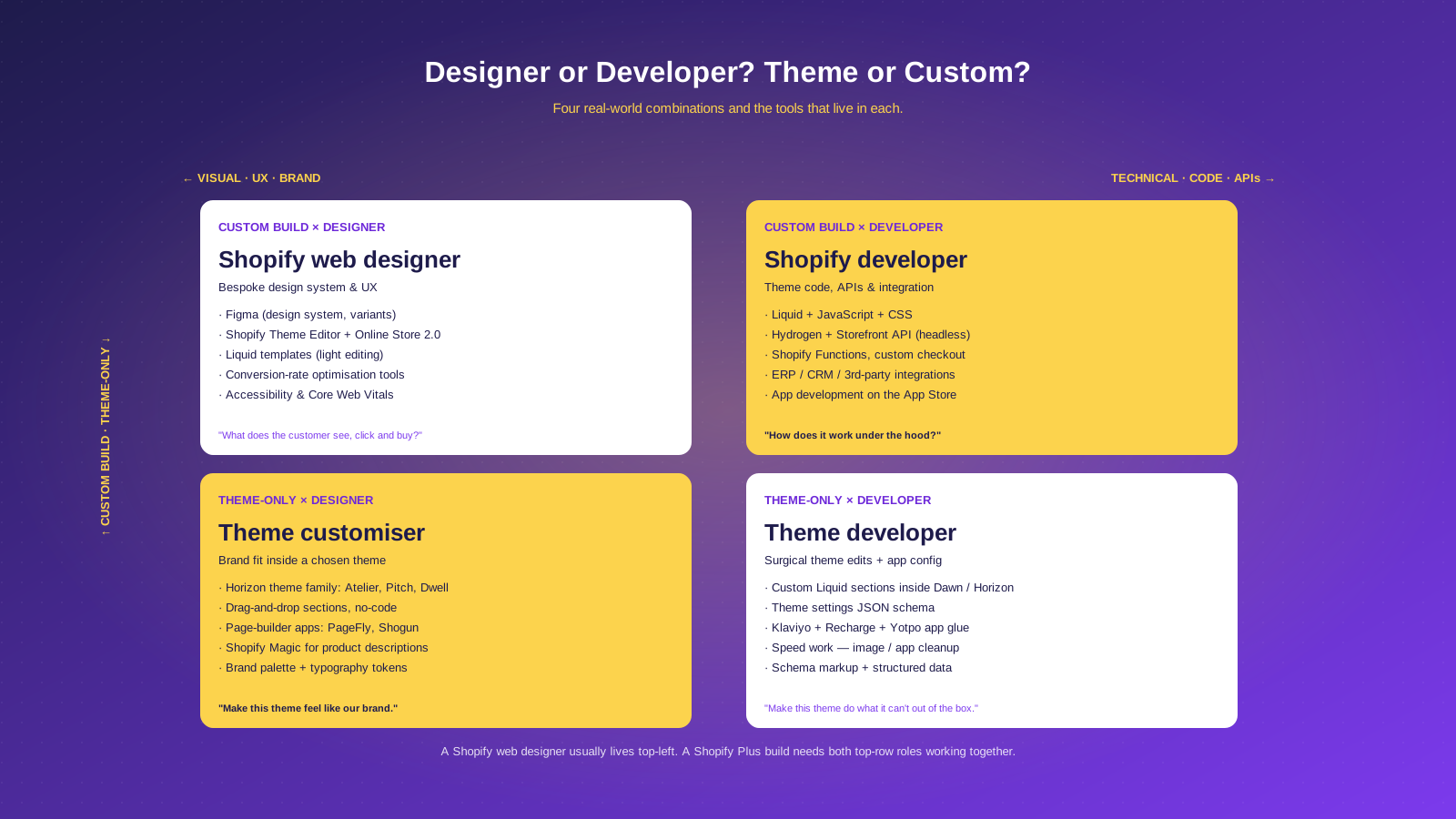
A Shopify web designer owns the visual layer: brand expression, layout, user interface, navigation, UX, cart flow, and how every template fits together. They live inside Figma, the Shopify theme editor, and Online Store 2.0 sections. They edit Liquid for small changes, but their main tool is the theme editor.
A Shopify developer owns the code layer: theme code, Liquid templates, JavaScript, third-party app integration, API work, and server-side logic via Shopify Functions. On a Plus build with custom checkout, headless Hydrogen, or ERP integration, a developer leads.
The designer decides what every customer sees and clicks; the developer decides how the code makes that possible. Most Plus projects need both. On a smaller theme-customization project, one person plays both roles, but the designer instinct comes first. See our what a Shopify developer does guide for more on the developer side.
Skills a Good Shopify Web Designer Should Have
The candidate brief is broader than it was three years ago: AI tools have absorbed the easy parts of theme customization, which raises the bar on everything else. Look for:
- Shopify platform fluency: the admin, the theme editor, Online Store 2.0 sections, theme settings JSON, Shopify Magic, and the Horizon theme family (Atelier, Pitch, Dwell, Heritage)
- Brand and visual design: Figma component libraries, type systems, accessible palettes, responsive layout
- Light Liquid templating, HTML / CSS, and basic coding: enough to edit a Liquid section, add a custom block, debug in the browser inspector
- UX and conversion-rate thinking: product page anatomy, cart drawer behavior, variant picker logic, Shop Pay express, checkout customization options
- App ecosystem knowledge: Klaviyo (email), Yotpo / Judge.me / Loox (reviews), Rebuy or Shopify Bundles (cross-sell), Recharge (subscriptions)
- SEO and structured data: schema markup for products, reviews, FAQs, and breadcrumbs, in place before launch rather than bolted on later
- Speed and Core Web Vitals: image optimization, lazy-loading, app audit, willingness to remove a performance-hurting app
- Communication: a Shopify project touches brand, ops, customer support, and often wholesale teams
A designer with six of eight skills plus a sharp instinct about the other two is usually a better hire than one with formal expertise everywhere but no opinion about which Shopify themes or websites belong on their reference list.
How Much Does a Shopify Web Designer Cost in the US (2026)?
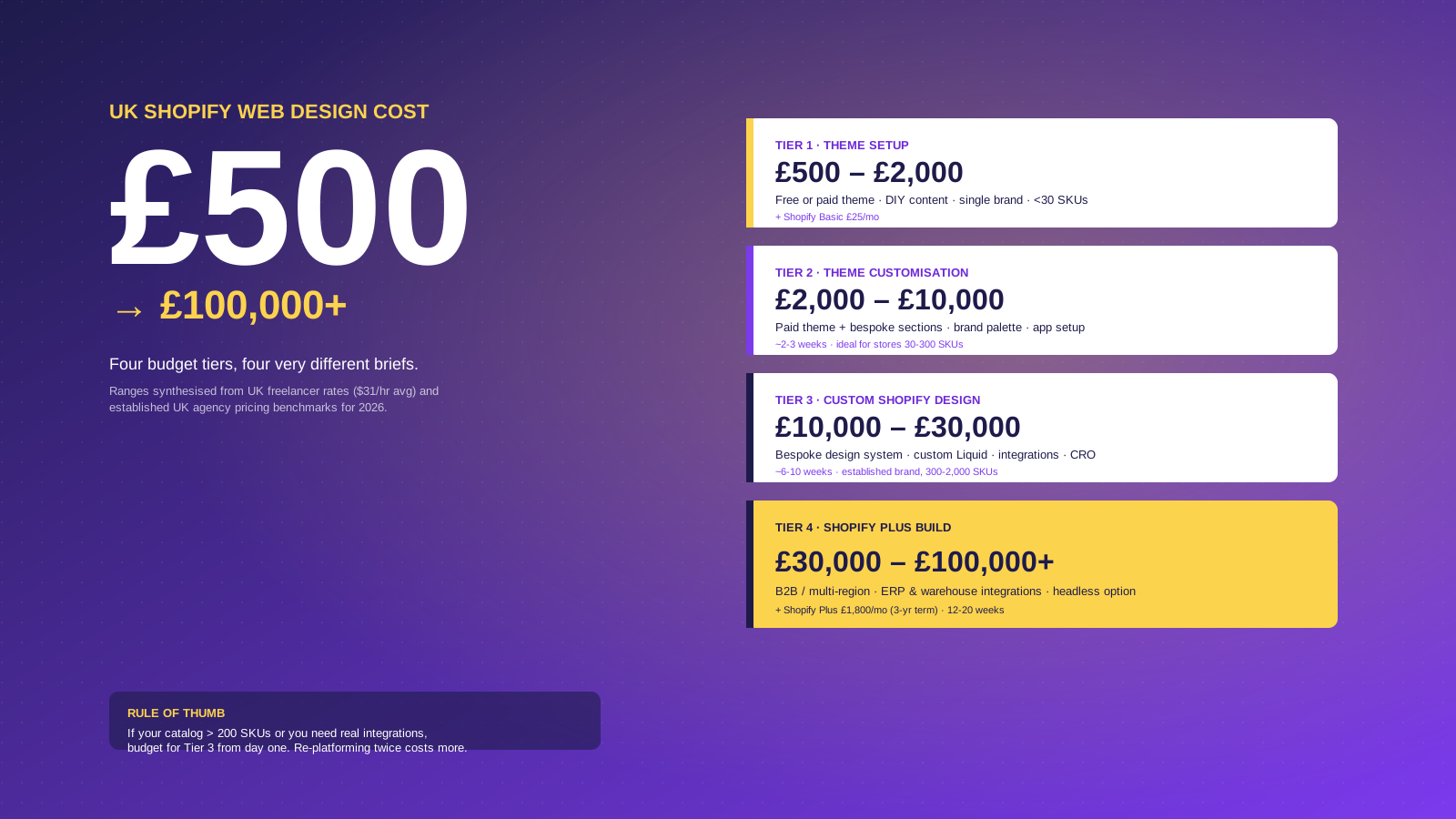
US Shopify web design fees for websites depend on the brief, not the designer. The same person can deliver a $2,500 customization or a $50,000 Plus build. Four budget tiers cover almost every project:
Tier 1: Theme setup ($1,000 to $2,500). A free or paid theme from the Shopify Theme Store, light customization, brand palette and logo, basic content setup. Suitable for a new store with fewer than 30 SKUs. Add Shopify Basic ($29/month, paid yearly).
Tier 2: Theme customization ($2,500 to $12,000). A paid theme plus bespoke sections, brand-fit typography, app setup, and content production. Two to three weeks for a store with 30 to 300 SKUs. This is the most common Shopify project budget for US independent brands.
Tier 3: Custom Shopify design ($12,000 to $35,000). A bespoke design system, custom Liquid sections, deeper app integration, a clear conversion-rate optimization plan, and a real component library. Six to ten weeks for an established brand with 300 to 2,000 SKUs. Most of Charle's brand-led Shopify work lives here.
Tier 4: Shopify Plus build ($35,000 to $125,000-plus). Multi-region selling, B2B alongside DTC, ERP and warehouse integration, custom checkout, sometimes a headless front-end via Hydrogen. Twelve to twenty weeks. Add Shopify Plus's $2,300/month subscription. See our benefits of Shopify Plus guide.
For freelancers, US day rates sit around $250 to $325 for mid-level work, consistent with the global freelance Shopify Web Design daily rate of around $248 in freelancermap's rate index. A freelancer fits Tier 1 and parts of Tier 2; agencies take over from there. For a wider view, see our Shopify pricing breakdown.
DIY a Theme, Hire a Freelancer, or Hire an Agency?
Shopify's own marketing argues you do not need a designer at all: pick a theme, drag-and-drop, use Shopify Magic for copy, and launch by the weekend. For some brands that is right. For others it is exactly how the launch budget gets wasted and the store needs rebuilding in six months.
Three questions help:
- Is the catalog under 30 SKUs and single-variant? A paid theme configured by the founder can be enough. Spend the time you would have spent designing on photography and copy.
- Does the store need brand differentiation to survive? If a hundred other stores sell the same thing, the theme is the difference. Hire a designer.
- Are operational integrations involved? ERP, warehouse, multi-channel inventory, B2B price lists, subscriptions, or wholesale portals mean a designer alone is not enough. Plan for design plus development together.
Round-ups from independent designers covering UK and US Shopify budget tiers reach the same conclusion. DIY is possible, but it eats hours that are usually better spent elsewhere. The honest test is whether the time saved by hiring earns more than the fee. For most stores past their first $125,000 of revenue, yes.
Can AI Replace a Shopify Web Designer?
Shopify Magic, Sidekick, and the AI theme generator are genuinely useful. They draft product descriptions, suggest section layouts, and generate a starting palette. For a Tier 1 theme setup, AI tools have moved a chunk of the work into the merchant's own hands.
What AI still cannot do is decide what the store needs to be. The judgment calls (which products to lead with, which photography style fits the brand, which apps to integrate, where to spend the load budget) are exactly the work that distinguishes a stuck conversion rate from a healthy one. Cortance puts the position cleanly in their AI vs Shopify developers answer: AI automates simple tasks, but complex projects with custom features, advanced integrations, or detailed planning still need a human.
The most useful framing in 2026: AI changes what a Shopify web designer spends time on, not whether one is needed. A modern designer leans on Shopify Magic for first-draft copy, Figma's AI for component variants, and the AI theme generator for a starting layout, then spends the saved hours on brand voice, UX judgment, app curation, and ongoing optimization.
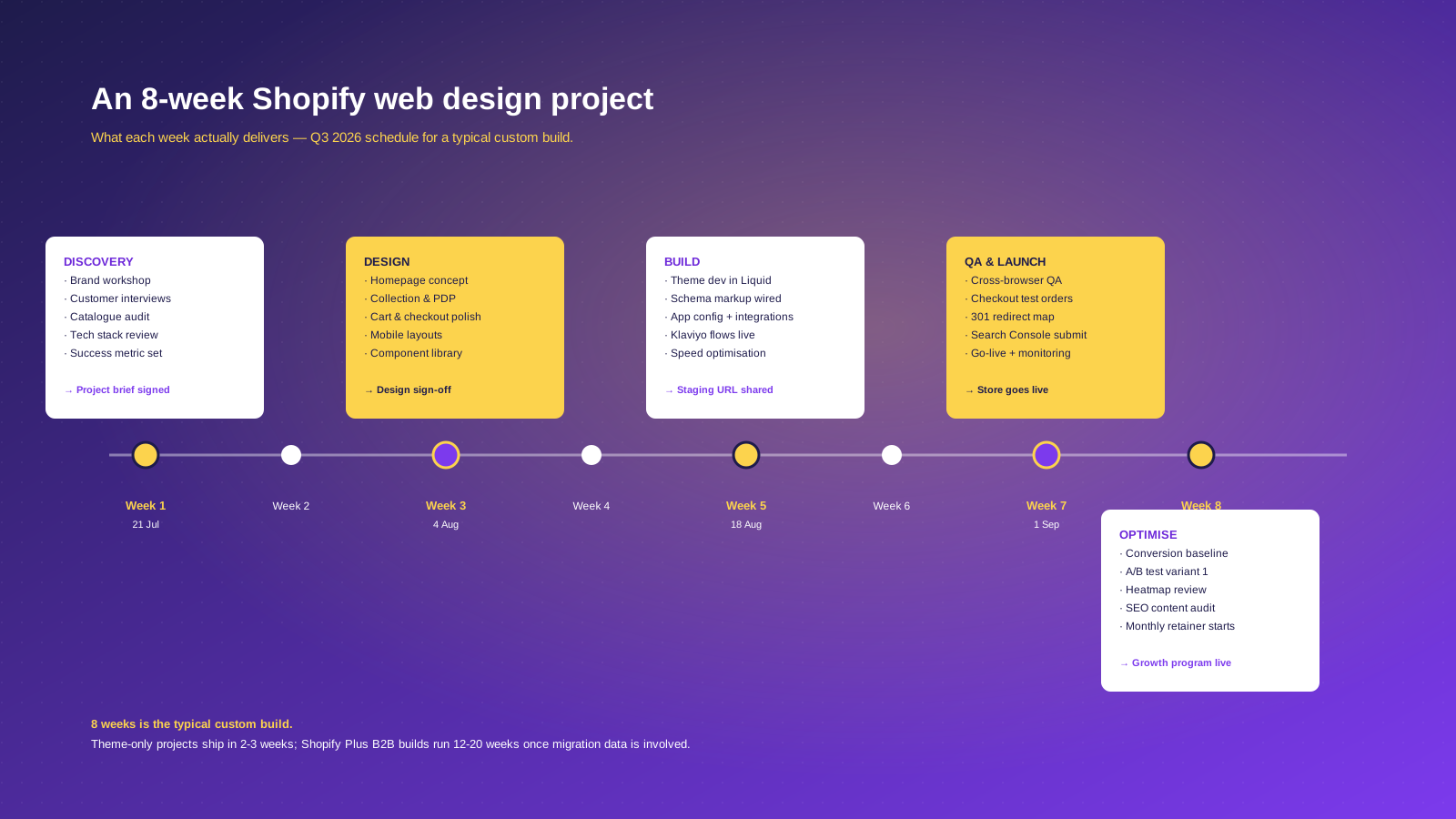
What an 8-Week Shopify Web Design Project Looks Like
A Tier 2/Tier 3 custom design with conversion-rate optimization built in typically runs eight working weeks:
- Week 1: Discovery. Brand workshop, customer interviews, catalog audit, tech stack review. Output: signed project brief.
- Weeks 2 to 3: Design. Homepage concept, collection and product templates, cart and checkout polish, mobile layouts, Figma component library. Output: design sign-off.
- Weeks 4 to 6: Build. Theme development in Liquid, schema markup wired, app configuration and integration, Klaviyo flows live, speed work. Output: staging URL.
- Week 7: QA and launch. Cross-browser QA, test orders, 301 redirect map, Search Console submission, go-live with monitoring. Output: store live.
- Week 8: Optimize. Conversion-rate baseline, first A/B test variant, heatmap review, SEO content audit. Output: a monthly retainer.
Theme-only projects compress this into two to three weeks. Shopify Plus B2B builds with migration data run twelve to twenty weeks. Discovery in week one prevents most of the late-project rework.
How to Choose a Shopify Web Designer in the US
The Shopify Partner directory lists thousands of US agencies and freelancers building Shopify websites. A useful shortlist filter:
- Verify Shopify Partner status. Look for Shopify Partner or Shopify Plus Partner badges, and check the partner directory directly.
- Read the portfolio for SKU complexity, not aesthetics. Look for case studies showing real websites with large catalogs, B2B portals, variant logic, or international stores.
- Ask for live conversion-rate data. A designer who cannot tell you what conversion uplift they delivered on their last three projects is selling visuals, not commerce outcomes.
- Check the apps they recommend. Klaviyo, Yotpo, Recharge, Rebuy, Shop Pay express, Shopify Bundles: the apps in their toolkit say a lot about the merchants they actually work with.
- Talk to two recent clients. Ask about timelines, scope changes, and what happened in the month after launch.
- Get the post-launch plan in writing. The proposal should say what happens in months two, three and four.
For a wider view, our top Shopify agencies roundup is a fair starting point, and our how to choose a Shopify agency guide goes deeper on the questions to ask.
Why We'd Hire a Designer Over an AI Theme Generator for Any Brand Past $1,000K
Charle has built and rebuilt Shopify Plus websites for more than a hundred independent brands. The pattern is consistent enough to call it a rule: below roughly $1,000K in annual revenue, an AI-generated theme with a careful merchant can ship a credible store. Above that revenue line, the same setup starts losing money in ways that are hard to see from the inside.
The most common failure: a brand customises the AI theme generator output, launches, and watches conversion plateau three points below the category benchmark. The brand blames traffic quality or price. Six months later they hire a designer, who finds that the cart drawer hides shipping cost until checkout, the variant picker resets the chosen size on a color change, and Shop Pay express is turned off because the AI default missed it. None of those are theme-generator bugs. They are decisions an AI cannot make for you, because the AI does not know your customers, your margin, or your post-purchase support volume.
The rule we apply on every Charle build: AI tools own first drafts; a Shopify web designer owns the conversion outcome. If the human is not accountable for whether the store sells better than it did before, the design is decoration, not commerce design.



