 Nic Dunn, CEO, Charle Agency
What Is a Holding Page?
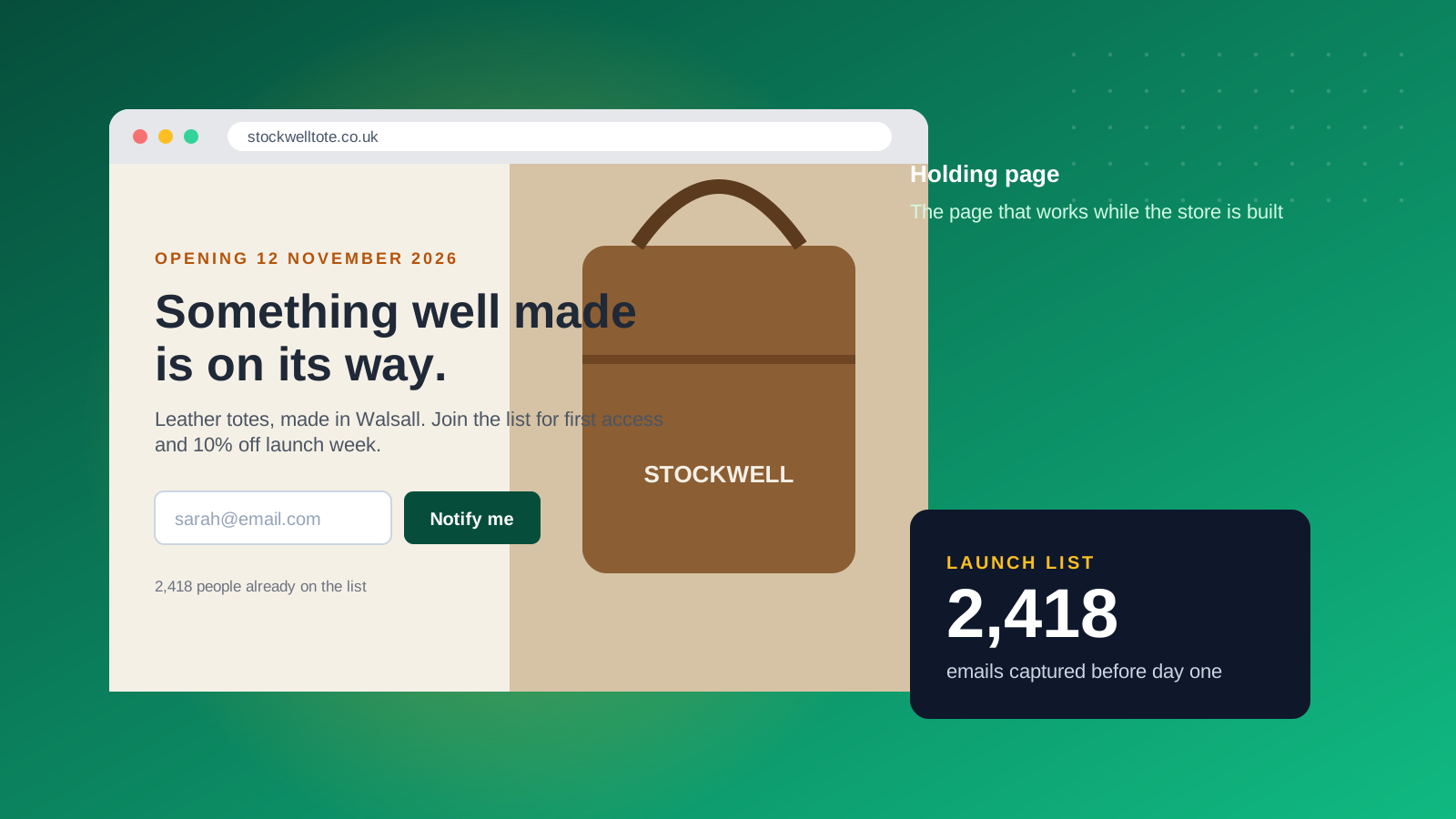
A holding page is a temporary single page, often called an under construction or placeholder page, that sits at your domain while the real website is unfinished, being replaced or briefly offline. It is sometimes called a coming soon page, a placeholder page or a teaser page. Its job is to hold the visitor's attention, and ideally their email address, until the full site is ready.
The page can be as plain as a logo, one sentence and a sign-up box. Most useful versions add a launch date, a short brand story and links to social profiles. The test of a good holding page is simple: a visitor who lands on it should know who you are, what is coming and how to hear about it first.
Holding pages are used in three situations. A new brand uses one to start building an audience before the store exists. An established brand uses one during a replatform or redesign. A business uses one during planned downtime, such as a migration window. The first two are marketing opportunities. The third is damage limitation.
Holding Page vs Coming Soon Page vs Maintenance Page
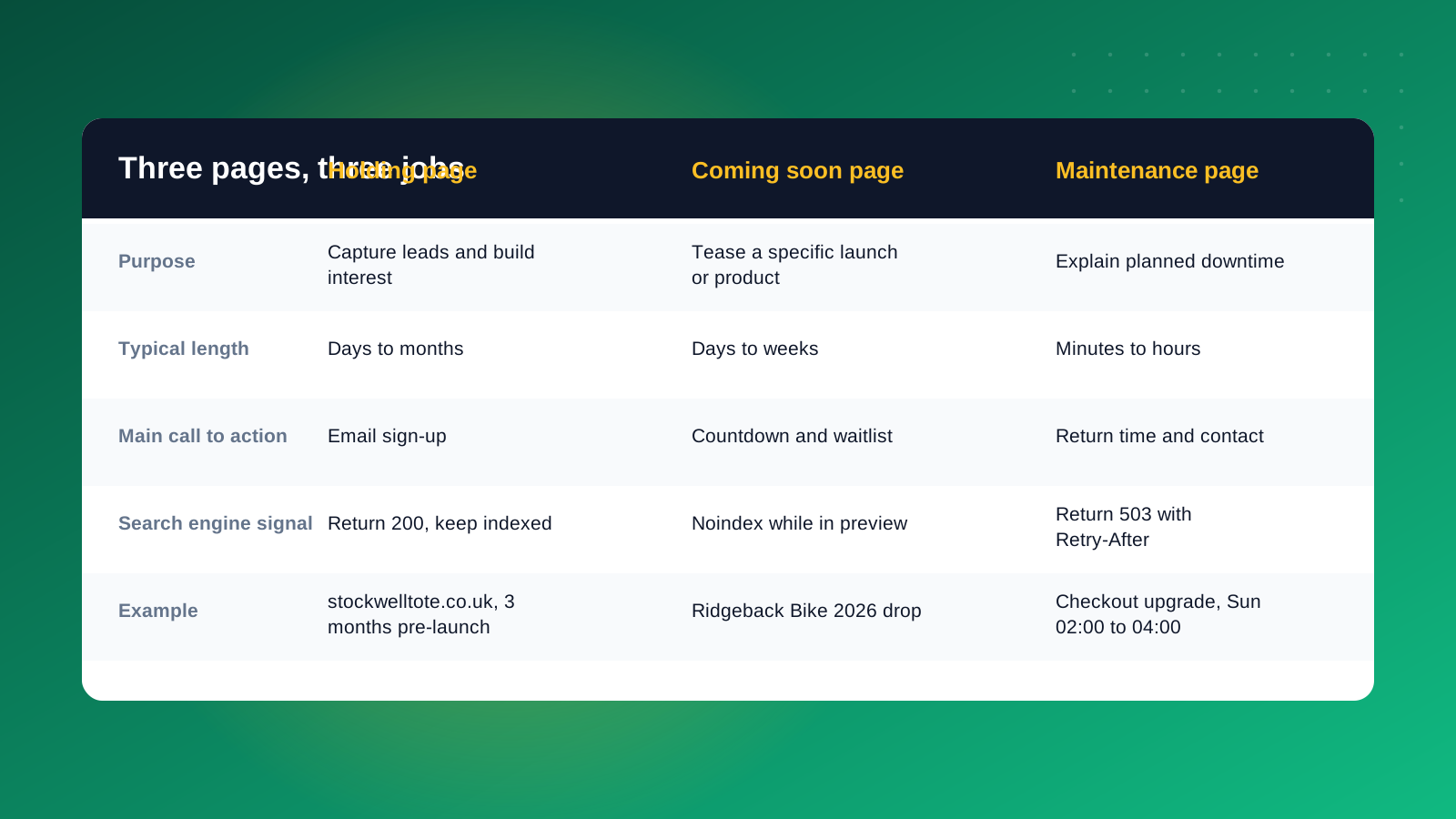
The three terms overlap, and tools use them loosely, but the purpose behind each is different. Getting this right matters because each one should be handled differently for search engines.
A holding page is the broad term for any placeholder that stands in for a site. A coming soon page is a holding page built around a specific launch, usually with a countdown and a waitlist. A maintenance page explains a short outage and tells visitors when to come back. If your site is live and you are fixing something, you want a maintenance page. If there is no site yet, you want a holding page.
Five Ways a Holding Page Makes Your Launch More Successful
Most holding pages are treated as a formality. These five jobs are what turn one into a launch asset.
1. It establishes your presence. Putting a page on your domain early gives journalists, suppliers and potential customers a real place to find you. It also stops a competitor, a squatter or an old parked page from owning your name in the meantime.
2. It conveys your brand. One strong photograph, a short pitch and the right typeface tell visitors what you stand for. Writing that pitch in a sentence or two is also a useful discipline. If you cannot explain the brand on a holding page, the full site will struggle too.
3. It gathers email addresses. This is the highest-value job. An email list captured before launch is a ready-made first audience for launch day, and it costs nothing to send to. Offer a reason to join, such as early access, a launch discount or a first look at the range. SeedProd reports that coming soon page conversion rates range from around 1% to 3% for cold traffic and much higher for traffic that has been warmed up by a campaign or a viral moment, which is a useful reminder that the page converts best when you send people to it deliberately.
4. It connects your social profiles. Link to the accounts you are already posting from. A visitor who is not ready to hand over an email address may still follow you on Instagram, which gives you a second route back to them. Social media is also where you will send traffic to the page, so make sure the links open in a new tab and the page works on a phone.
5. It starts the search clock. New sites take time to be found and trusted by Google. A live, crawlable page on your domain starts that process earlier. As the next sections explain, on Shopify this benefit depends on how you build the page.
What to Put on a Holding Page
Restraint is the rule. Every extra element competes with the one action you want, which is the sign-up.
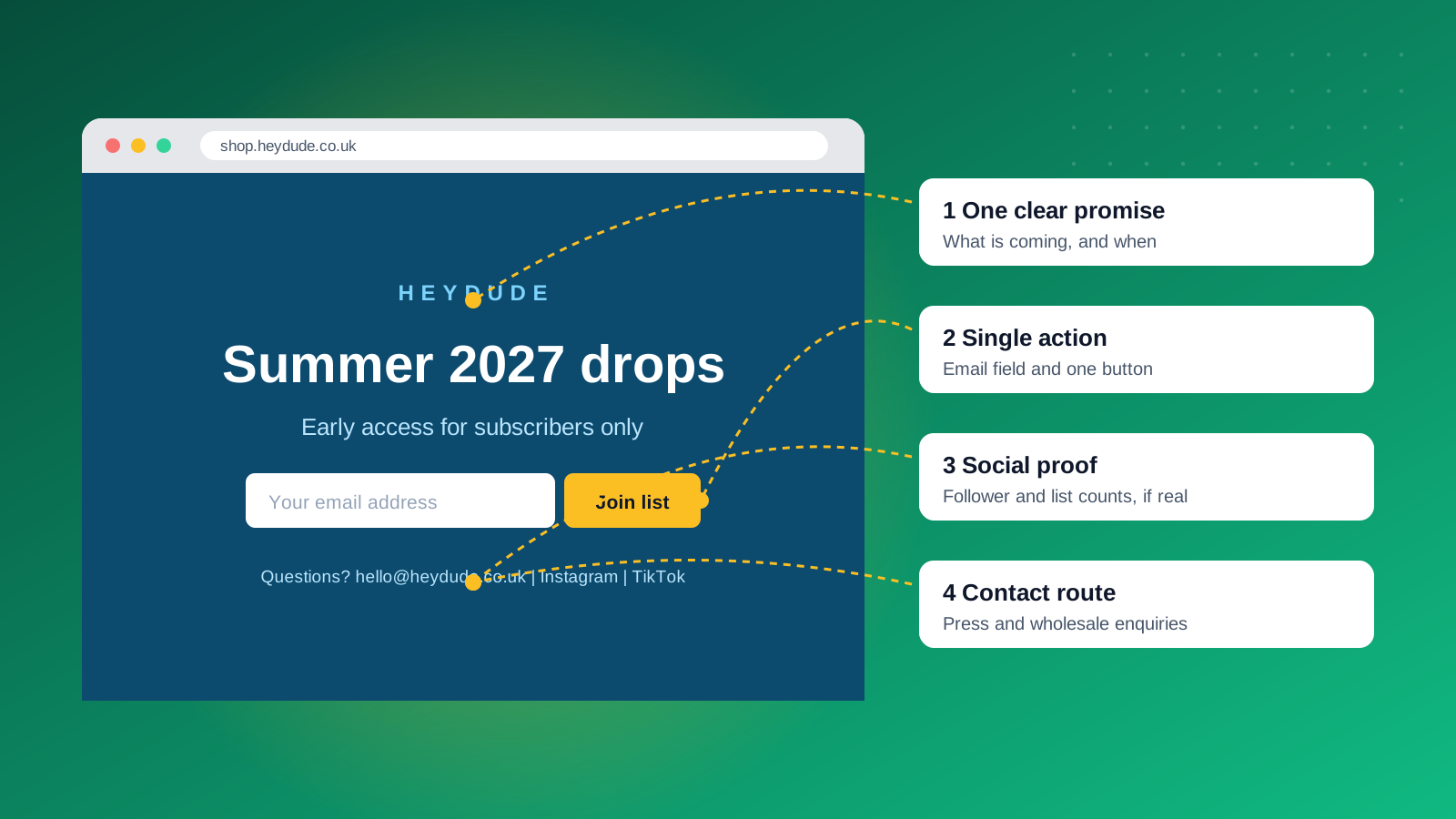
- One clear promise: what is coming and, if you can commit to it, when. A date creates urgency, but only publish one you will hit.
- A single call to action: an email field and one button. Add a first name field only if you will use it.
- A reason to sign up: early access, a launch offer or a founder's note beats "subscribe to our newsletter".
- Brand cues: your logo, colors and typography, plus one image that looks like the product experience.
- A contact route: an email address for press, wholesale and partner enquiries.
- Social links and a privacy line: a short consent statement that matches what you will actually send.
Leave off long explanations, navigation menus, stock images and anything that sends visitors away from the page. If you add a countdown, make sure it ends on a real date. Treat the page like a small landing page: one headline, a few lines of text, one image and one button. The information you share should be only what a visitor needs to decide whether to sign up, such as the product type, the launch date and the offer. Detailed content, pricing and features can wait for the full website.
Design matters less than clarity, but it should still match the brand you are launching. A holding page is often the first design of the brand that users see, so use the final colors, fonts and photography where you can. Keep the layout simple, check it on a phone and make sure the text is readable against any background image. Page speed counts too, so compress images and avoid heavy video.
How to Build a Holding Page on Shopify
You have three practical routes on Shopify, and the right one depends on how much control you need.
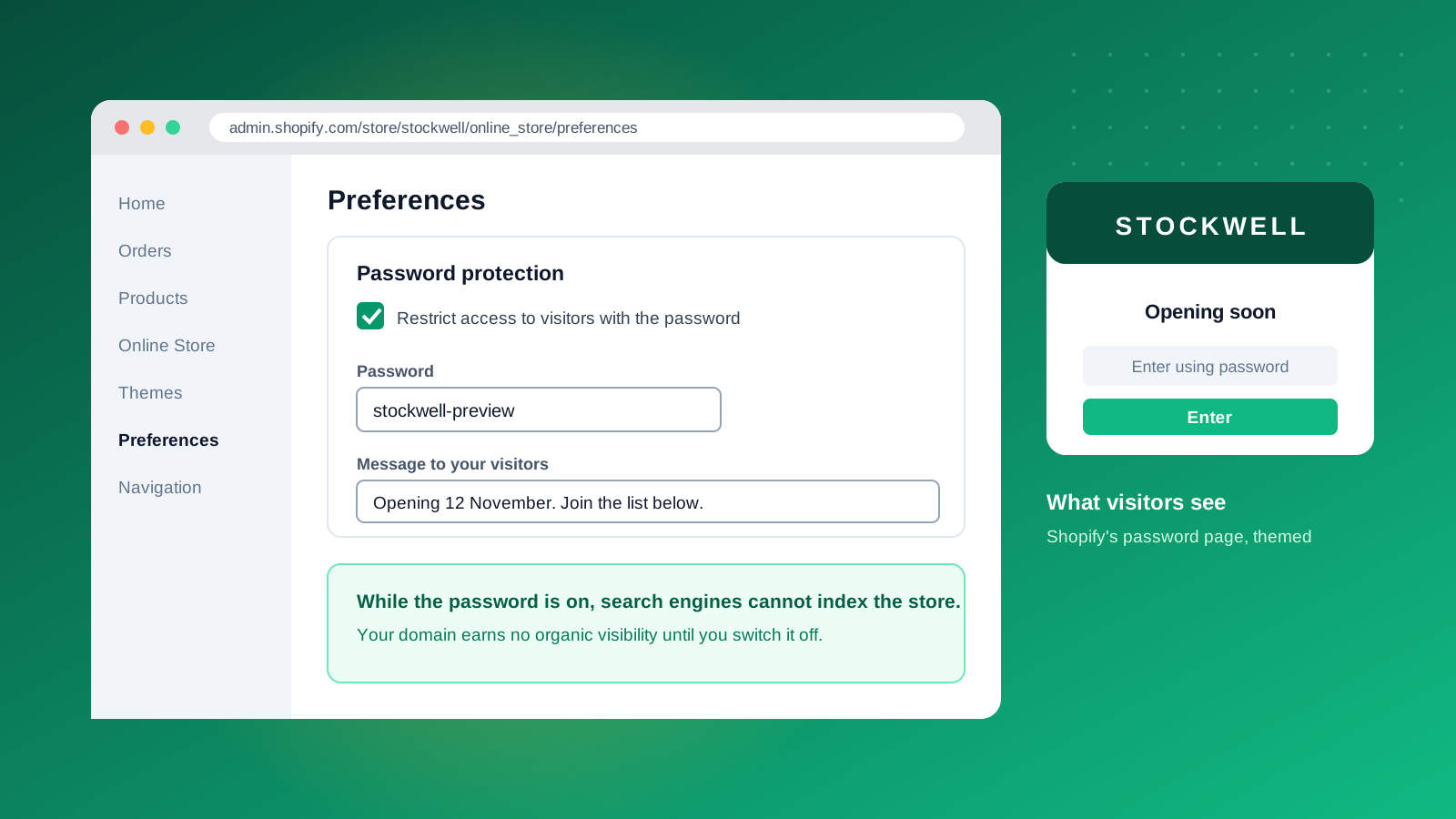
Option 1: the password page. This is the quickest. In your Shopify admin, go to Online Store, then Preferences, and switch on password protection. You can edit the message and the sign-up form in the theme editor, then connect the form to your email platform. Shopify's own coming soon guidance recommends this route as the fastest way to get a page live.
Option 2: a second theme. Build the holding page as a separate theme, publish it while you work on the real store, and swap back at launch. Shopify's Rollouts tool can schedule when a theme goes live and when it reverts, which removes the risk of launching late at night by hand.
Option 3: an app. Pre-launch apps add countdown timers, waitlists, and direct connections to Klaviyo or Mailchimp, and they usually let specific customers bypass the password. They are useful when you want to give early access to a private group.
If you already use a landing page builder or a website builder for other projects, resist the urge to copy a long template. Shopify holding pages work best when they are short, and a template with ten sections is a full site in disguise. Preview the page on desktop and mobile before you share the link, and check that the sign-up form sends a confirmation email.
Whichever route you take, connect the sign-up form to the platform you will use after launch. A list stuck in a spreadsheet is a list nobody emails. If you are planning a larger build, our Shopify Plus agency team can plan the pre-launch and launch sequence together.
The SEO Catch: Password Pages and Indexing
Many guides say a holding page helps Google find you early. On Shopify, that is only true if the page is public. A store behind the password page is not open to search engines, so it earns no organic visibility while the password is on.
That does not make the password page a bad choice. It is the right tool for a store you want hidden from the public while you finish it. But if the goal of your holding page is to start ranking, you need a different approach. Options include a public single page on your main domain or a simple landing page that is crawlable, has a clear title and meta description, and carries a sentence or two describing the brand in plain language.
Three rules keep your SEO safe in every case. Use the same domain you will launch on, never a temporary one. Serve a normal 200 response on a holding page you want indexed, and use a 503 response with a Retry-After header for a short planned outage so Google knows to come back. Finally, when you launch, check that old URLs redirect properly and resubmit your sitemap in Google Search Console. Our guide to technical SEO for ecommerce covers the launch checks in more detail.
Holding Page Mistakes to Avoid
The same few errors appear again and again.
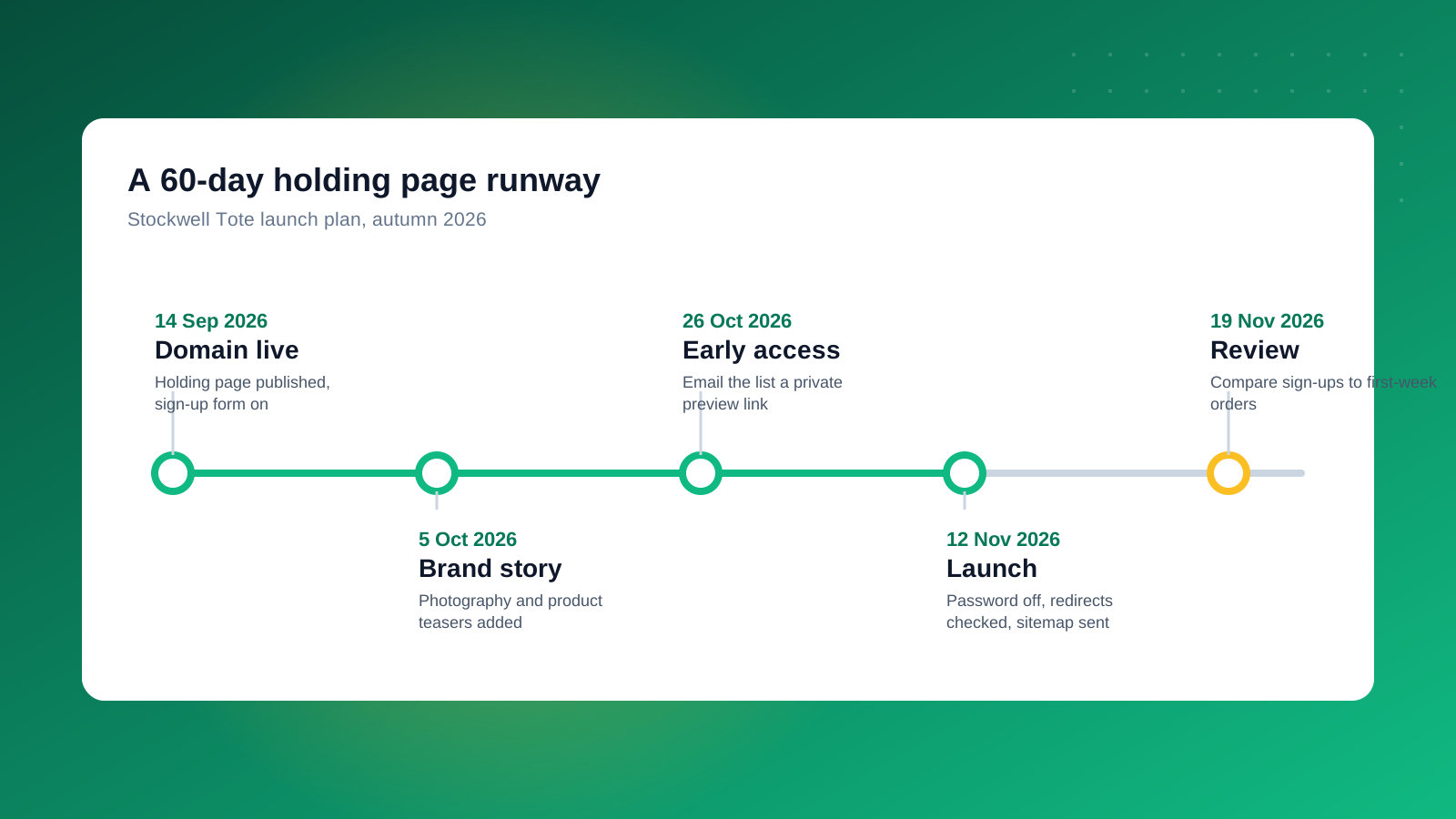
The first is leaving it up too long without any activity. A holding page that says "launching soon" for six months looks abandoned. Send the list a message every few weeks, even if it is just one behind-the-scenes photo. The second is asking for too much. Every extra field cuts sign-ups. The third is hiding the date because you are not sure of it. A window such as "autumn 2026" is better than silence.
Other common mistakes are using a countdown that resets, forgetting the mobile view (most visitors will arrive on a phone), and collecting emails without a clear consent line. Finally, brands often forget to take the page down properly. On launch day, switch off the password, test checkout, check redirects and send your first email to the list within hours, while the interest is still fresh.
Taking Your Holding Page Down: A Launch Day Checklist
The holding page has one last job: a clean handover. Before you switch it off, confirm that the sign-up list is exported or synced to your email platform, that tracking is installed on the new store, and that every old URL redirects to its replacement. Then turn off the password or swap the theme, place a test order, and send the launch email. Review sign-ups against first-week orders a week later, so you know what the page was worth and what to improve next time. If you want support planning a launch, our SEO agency team can help with the checks that protect your rankings.



