 Nic Dunn, CEO, Charle Agency
What Is Shopify Collabs?
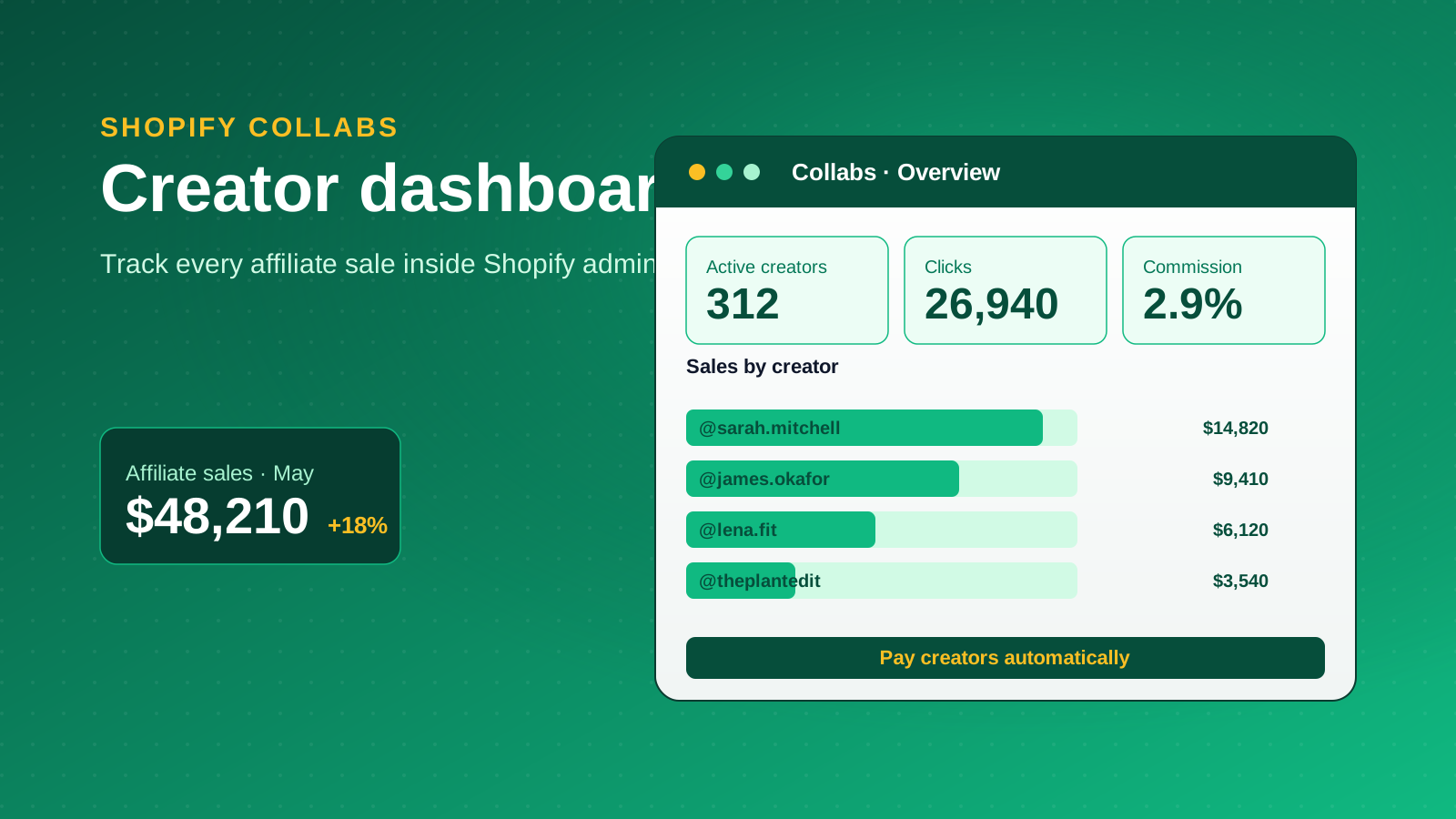
Shopify Collabs is a free app that connects Shopify merchants with content creators to run affiliate and influencer marketing programs. It lives inside the Shopify admin, so merchants recruit creators, share commission offers, send product gifts, and track every sale without leaving the platform. Creators get a single place to find brands, monetize their audience, generate affiliate links and discount codes, and get paid automatically on the sales they generate.
The app sits on top of an affiliate model. Brands set a commission rate, creators promote products through unique links or codes, and Shopify logs each sale back to the creator who drove it. Because payment is tied to performance, merchants only pay when a creator actually produces revenue, which is what makes Collabs attractive to smaller businesses testing influencer marketing for the first time.
Influencer marketing has moved from a nice-to-have to a core channel. A 2024 HubSpot report found that around 1 in 4 marketers now run influencer marketing, and micro-creators with 1,000 to 100,000 followers consistently post higher engagement than celebrity accounts. Collabs is Shopify's answer to that shift. For the wider picture, our influencer marketing statistics roundup tracks how the channel is growing.
Eligibility and Requirements
Before you plan a campaign, check that your store and your creators actually qualify. Shopify Collabs has separate requirements for merchants and for creators, and the merchant threshold catches a lot of newer businesses out.
For merchants
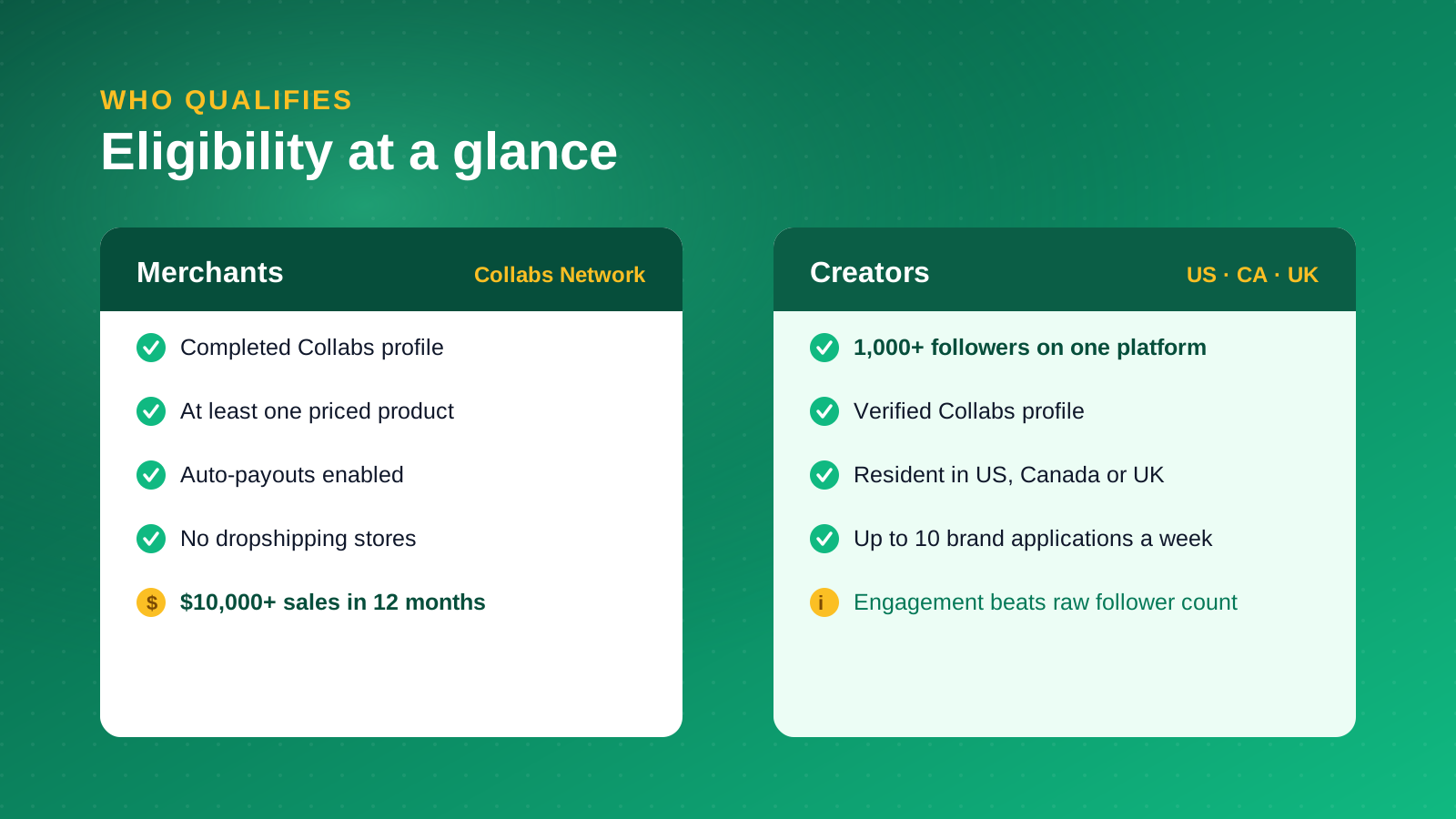
To list in the Collabs Network and pay creators automatically, a merchant store needs to complete its Collabs profile, list at least one product with a price, and enable auto-payouts. Dropshipping stores are not accepted. The threshold that surprises most people: your store must have generated at least $10,000 in sales over the previous 12 months. If you run a younger store under that figure, you can still install the app and invite creators directly, but you cannot appear in the open Collabs Network until you clear the sales bar.
For creators
Creators need a minimum of 1,000 followers on a single social platform, a completed and verified Collabs profile, and they must reside in the United States, Canada, or the United Kingdom. Creators can apply to a maximum of 10 brands each week. The low follower floor is deliberate: a focused micro-creator with an engaged 2,000-strong audience often converts better than a generalist with 50,000 passive followers, so brands should weigh engagement over raw reach.
What Shopify Collabs Costs
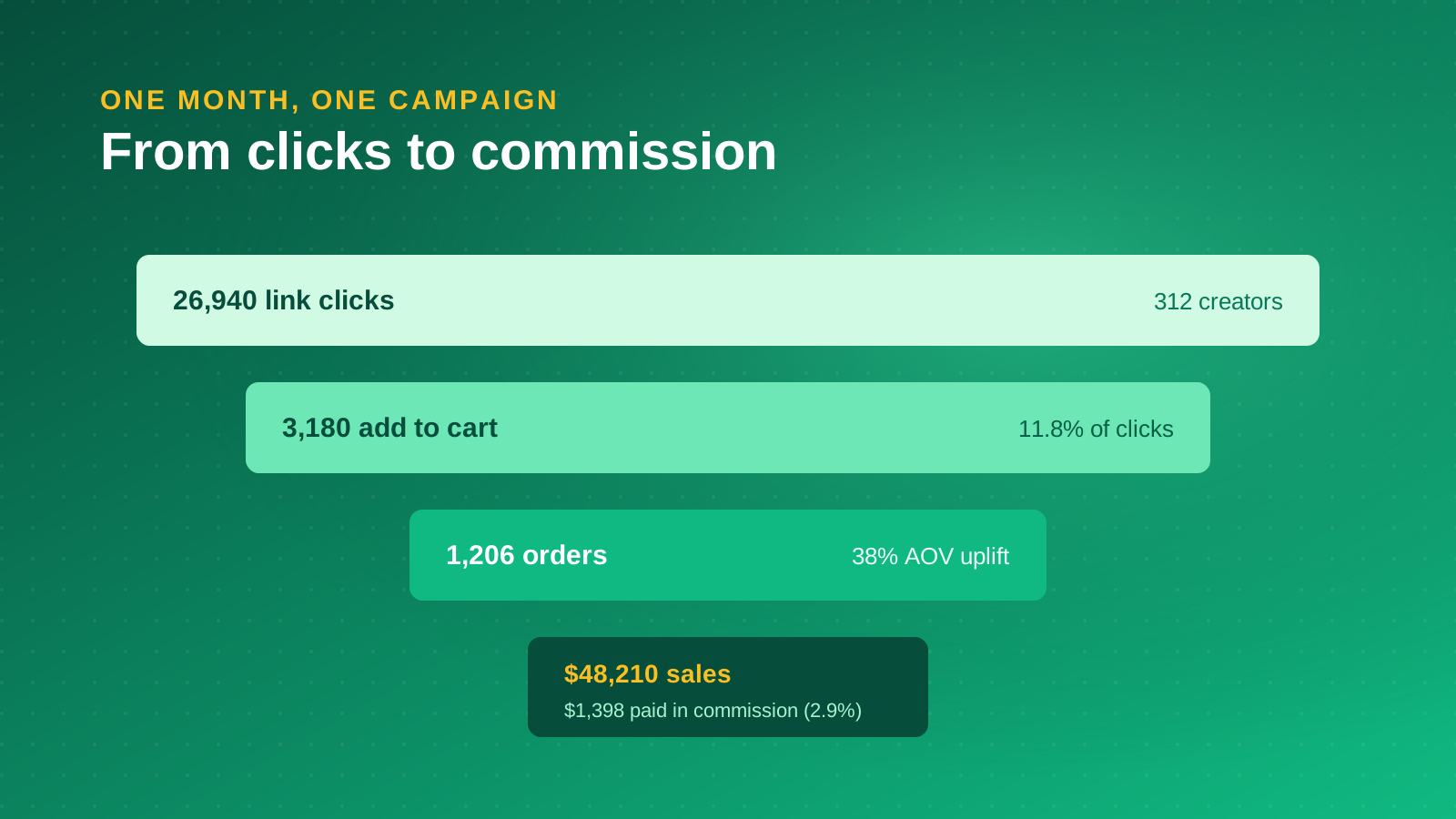
The pricing is deliberately low-risk. Installing Shopify Collabs is free for both merchants and creators, and there is no monthly subscription. The only platform cost is a 2.9% processing fee applied to automatic commission payments made through Collabs, and a foreign currency exchange fee can apply when you pay a creator in a different currency.
Beyond that fee, your real costs are the commissions you agree with creators and the value of any products you gift. Both are results-driven: you pay a commission only when a sale completes, and gifting is a fixed product cost you choose per partnership. That structure keeps the downside small, which is why Collabs works well for businesses easing into creator marketing rather than committing a large upfront budget. The app currently holds a 3.4-star rating on the Shopify App Store, so set expectations accordingly and treat your first campaigns as a test.
How to Set Up Shopify Collabs
Setup takes minutes. The work that matters is the brand profile, because that is what creators read before deciding whether to apply.
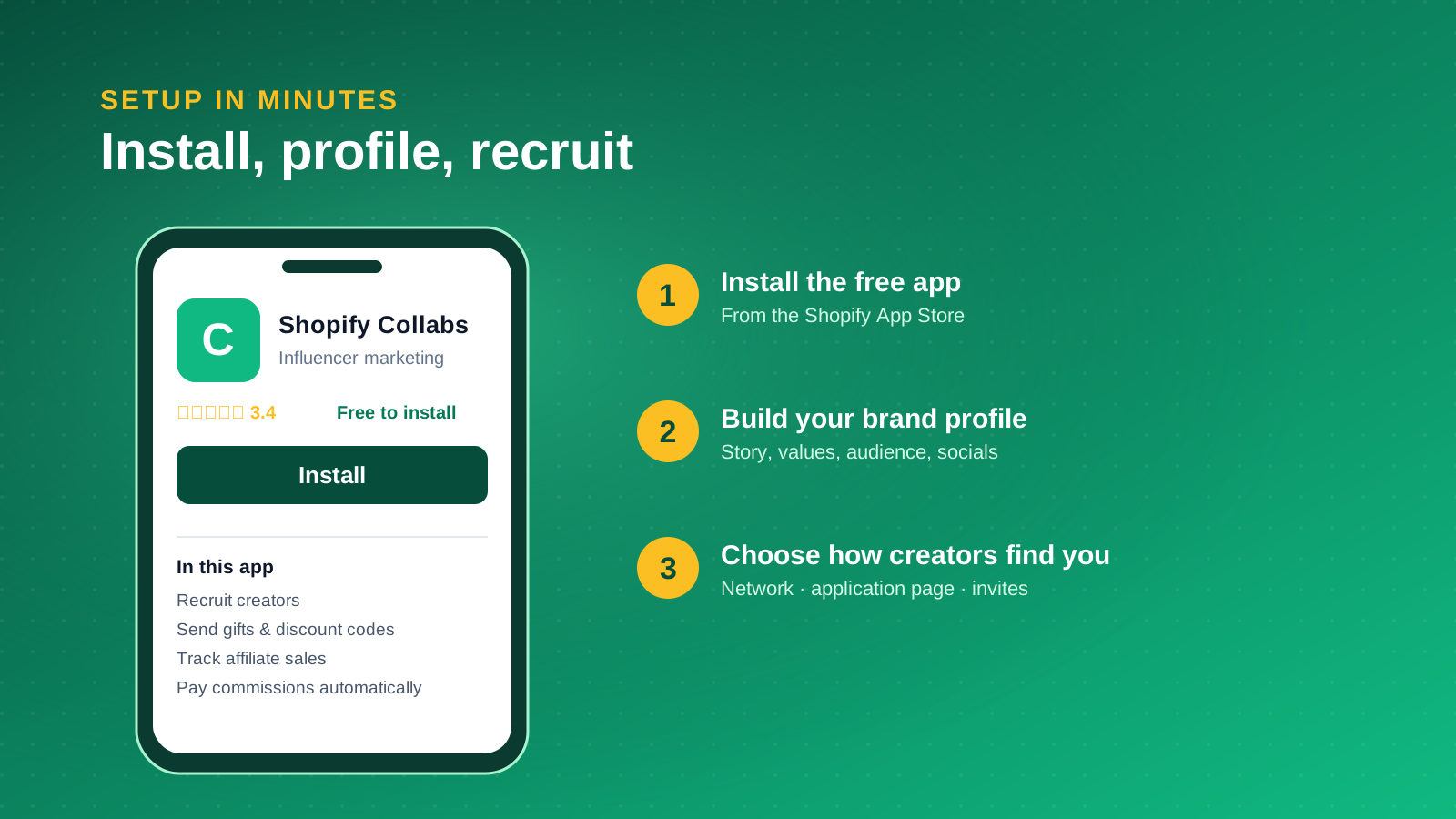
Install the app
Open the Shopify App Store, search for Shopify Collabs, and click Install to add it to your Shopify admin. Once installed, it appears under Apps in your admin navigation.
Build your brand profile
Add your brand story, product categories, target audience, brand values, and the countries you want to recruit creators in. Connect your social accounts so creators can judge your tone and content style. This profile is your pitch to the creator community, so make it specific: a clear sense of who you are and who you sell to filters out poor-fit applicants before they reach you.
Choose how creators find you
Collabs gives merchants three discovery routes. You can join the Collabs Network and share instant commission offers that pre-vetted creators can claim. You can turn your storefront into a recruitment hub by adding a creator application page so your existing customers can apply. Or you can send direct invitations to specific creators you already have in mind. Most brands use a mix, leaning on direct invites early and opening the Network once their offer is proven.
Finding the Right Creators
Discovery is where merchants either build a productive program or waste their commission budget. Collabs lets you search creators by niche, audience size, location, and brand fit, so use those filters to shortlist rather than chasing follower counts.
Define your ideal collaborator before you search. Decide what outcome you want, whether that is brand awareness, trial of a new product, or direct sales, then work backwards to the audience that delivers it. Review each creator's engagement rate, content style, and the authenticity of their existing posts, not just their reach. A creator whose followers genuinely trust their recommendations is worth more than one with a larger but indifferent audience, because the creators who monetize best are the ones whose audiences actually act on their endorsements.
Once you have a shortlist, send personalized invitations that explain why you think they fit and what the partnership offers. You can reach out to several creators at once, which keeps outreach efficient without making it feel templated. Diversify across a mix of micro and mid-tier creators so you are not betting the whole program on a single account.
Running and Tracking Campaigns
Once creators are approved, Collabs handles the mechanics of running the program. Each creator gets unique affiliate links and discount codes, so every sale is attributed to the person who drove it. You set the commission structure, whether that is a percentage of each sale, a flat fee, or exclusive discount codes for their audience, and you can gift product samples directly through the app to fuel authentic content.
Automation keeps the admin light. Shopify Flow can handle payments and routine tasks, and a built-in messaging feature keeps every conversation with a creator in one place. Creators can also surface their affiliate products through Linkpop, Shopify's link-in-bio tool, so followers buy without being bounced around. As campaigns run, the dashboard's analytics track clicks, conversions, sales, and commissions per creator, which tells you quickly which partnerships are working and which to cut.
Treat the data as a feedback loop. Watch click-through and conversion rates by creator, double down on the ones producing sales, and refine your commission offers over time. The brands that get the most from Collabs run their collaborations as an ongoing program, not a one-off campaign, and reinvest in the creators who consistently convert. Pairing creator-driven traffic with email and SMS through a platform like Klaviyo turns one-off buyers into repeat customers.
What Good Looks Like
Shopify publishes case studies that show what a mature creator program can return. They are useful benchmarks for the kind of results Collabs makes possible when a brand commits to it.
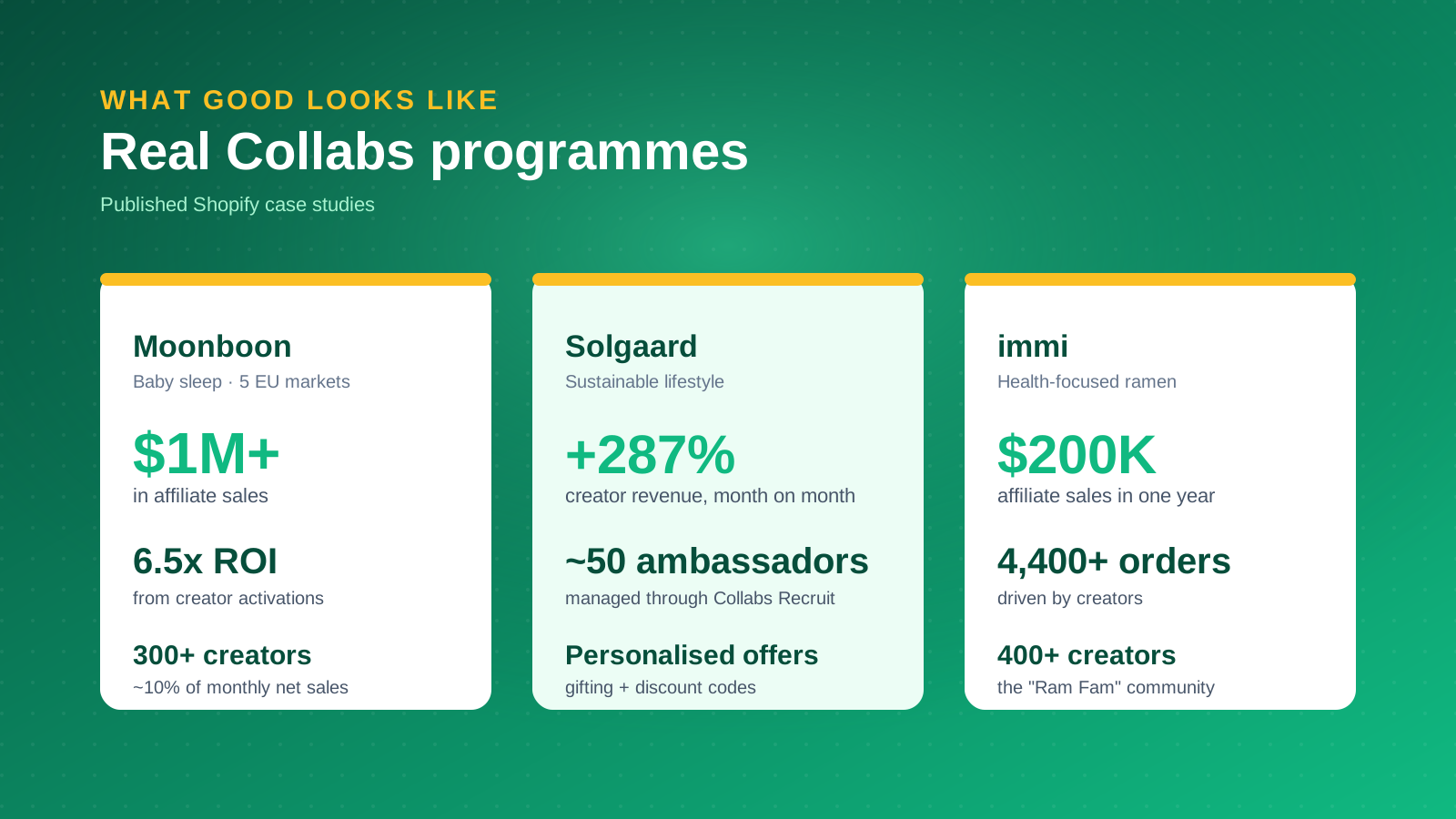
Moonboon, a Scandinavian baby sleep brand, grew its creator community to more than 300 creators across five European markets and generated over $1 million in affiliate sales, reporting roughly 6.5x ROI from creator activations and around 10% of total monthly net sales through the channel. Solgaard, a sustainable lifestyle brand, grew creator-driven revenue by 287% month over month with around 50 ambassadors. The health-focused ramen brand immi built a community of more than 400 creators and drove over 4,400 orders worth roughly $200,000 in affiliate sales in a single year.
Two things stand out across these examples. First, scale comes from the size and quality of the creator roster, not from any single viral post. Second, the brands that win treat Collabs as the tracking and payment layer for an ongoing ambassador program, which is exactly where the tool earns its keep. For more apps that compound this kind of growth, see our guide to the best Shopify apps to increase sales.
Where We'd Actually Use Shopify Collabs (and Where We Wouldn't)
Shopify Collabs is strongest as a tracking and payment layer, and weakest as a discovery engine. When we build creator programs for Shopify Plus brands, the part that earns its keep is attribution: knowing exactly which creator drove which sale and paying them automatically without a spreadsheet. That alone justifies the app for any store doing real volume.
Discovery is where we set expectations lower. The Collabs Network helps, but the brands that see numbers like Moonboon's did the unglamorous work of recruiting and vetting influencers themselves rather than waiting for the Network to deliver. We think of Collabs as the rails, not the train. The recruiting, the brief, and the relationship still come from you.
Two honest caveats. The $10,000 sales threshold locks newer stores out of the open Network, so if you are pre-revenue, Collabs is something to grow into rather than start with. And a creator program rarely stands alone: the businesses that compound their results plug creator-driven traffic into a retention engine so first purchases become second and third ones. Run Collabs for acquisition, pair it with email and SMS for retention, and judge it on attributed revenue rather than follower counts. On that basis, for a qualifying Shopify store, it is worth turning on.



